|
VOOZH | about |
|
VOOZH | about |
Yfinance is a popular Python library for accessing Yahoo Finance's financial data. While it is commonly installed via pip, installing it directly from GitHub allows you to access the latest development version, which may contain new features or bug fixes not yet available in the pip version. This guide will walk you through the process of installing yfinance using GitHub.
Installing yfinance from GitHub has several advantages: script.
Launch Visual Studio Code on your computer.
You can open the terminal by selecting Terminal > New Terminal from the top menu or by pressing ` (backtick) + ` (backtick) key.
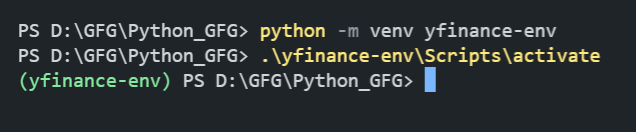
This step is optional but highly recommended to avoid conflicts with other packages. Create a virtual environment by running:
python -m venv yfinance-envActivate the virtual environment:
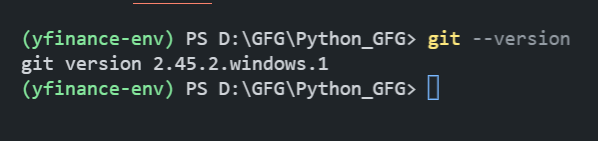
.\yfinance-env\Scripts\activateEnsure Git is installed on your system. You can check by running:
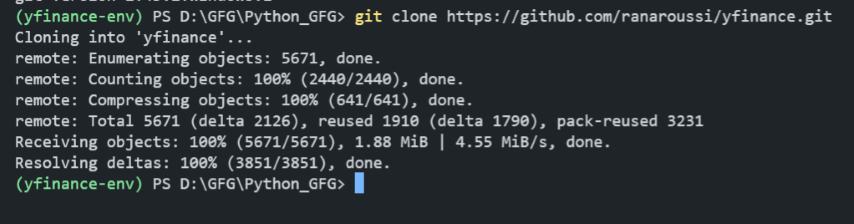
git --versiongit clone https://github.com/ranaroussi/yfinanceNavigate to the cloned directory:
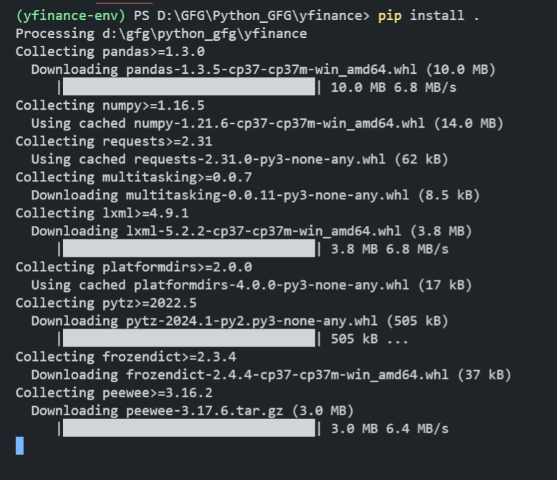
cd yfinance Install yfinance and its dependencies by running:
pip install .To verify that yfinance is installed correctly, open a Python file in VSCode and try importing yfinance
Output:
In conclusion, installing yfinance from GitHub in VSCode provides Python developers with powerful tools to access and analyze financial data directly from Yahoo Finance. By following these steps, you can seamlessly integrate yfinance into your projects for comprehensive financial data retrieval and analysis capabilities.