|
VOOZH | about |
|
VOOZH | about |
In this guide, we'll walk through the installation process and provide a simple code example to demonstrate how to use SQLAlchemy-ImageAttach.
SQLAlchemy-ImageAttach is a powerful extension for SQLAlchemy, a popular Object-Relational Mapping (ORM) library in Python, designed to simplify image handling within your database. This extension provides a seamless way to associate and manage image files associated with your SQLAlchemy models.
Below, are the step-by-step of How To Install Sqlalchemy-Imageattach.
First, create the virtual environment using the below commands
python -m venv env
.\env\Scripts\activate.ps1
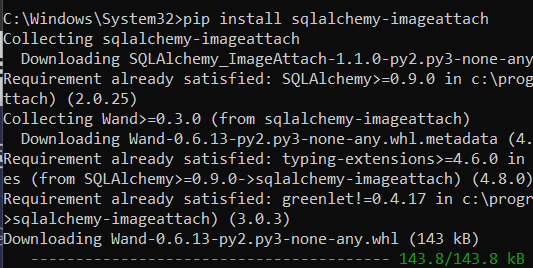
To get started, you need to install SQLAlchemy-ImageAttach using pip. Open your terminal or command prompt and run the following command:
pip install sqlalchemy-imageattach
To check the version of the installed sqlalchemy-imageattach library, you can use the following command in your terminal or command prompt:
pip show sqlalchemy-imageattach
Example : In this example, provided code defines a SQLAlchemy model BlogPost with columns id, title, and content, creates a SQLite database named 'example.db', and initializes a session for database operations.
The code sets up the database schema and initializes a session, preparing it for subsequent database interactions such as inserting, querying, or updating data in the 'blog_posts' table. The output will be a silent execution without errors, indicating the successful setup of the database and session.
Output :
<ipython-input-16-8690c5d918f1>:6: MovedIn20Warning: The ``declarative_base()``
 function is now available as sqlalchemy.orm.declarative_base(). (deprecated since: 2.0)
(Background on SQLAlchemy 2.0 at: https://docs.sqlalchemy.org/en/20/errors.html#error-b8d9)
 Base = declarative_base()
Code Will succesffully run and show the output . However, since there's no actual data insertion or query operations in the code, there won't be any visible output.