|
VOOZH | about |
|
VOOZH | about |
Django uses SQLite as the default database for development because of its simplicity and ease of setup. For real-world and production-oriented applications, MySQL is commonly preferred due to its strong performance, reliability, and widespread industry adoption.
Download the MySQL Installer from the official website:
https://dev.mysql.com/downloads/installer/
During installation:
Verify installation:
mysql -u root -p
Download the macOS DMG installer from the official MySQL website:
https://dev.mysql.com/downloads/mysql/
After installation:
Verify installation:
mysql -u root -p
MySQL can also be installed using Homebrew for a package manager–based installation on macOS.
Install MySQL:
brew install mysql
Start the MySQL service:
brew services start mysql
Verify installation:
mysql --version
mysql -u root
mysqlclient is a C-based MySQL/MariaDB database driver that Django uses as a DB-API 2.0–compliant backend to execute SQL queries and manage connections to a MySQL database. Install it using the following pip command:
pip install mysqlclient
Create a new Django project:
django-admin startproject MyDB
cd MyDB
Log in to MySQL:
mysql -u root -p
Create a database:
CREATE DATABASE mydb
Open MyDB/settings.py and replace the default SQLite configuration with MySQL:
Note: The same steps apply when connecting other databases such as PostgreSQL, MariaDB, or Oracle. Only the database driver and configuration in settings.py need to be updated according to the selected database backend.
Run the following commands to create the required database tables:
python manage.py makemigrations
python manage.py migrate
Log in to the MySQL database:
mysql -u root -p mydb
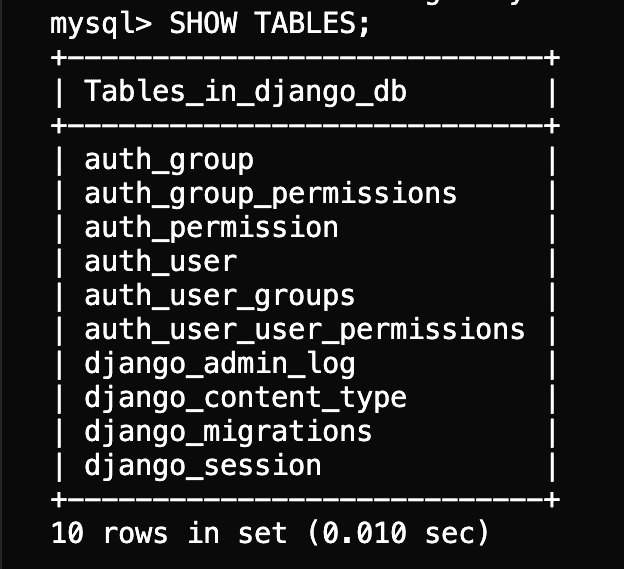
Verify the tables created by Django:
SHOW TABLES;
Output:
Start the Django development server:
python manage.py runserver
If the server starts without errors, Django is successfully connected to the MySQL database.