|
VOOZH | about |
|
VOOZH | about |
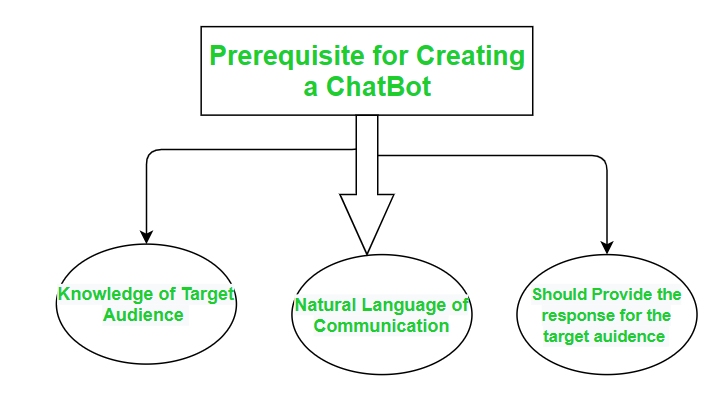
A ChatBot is basically a computer program that conducts conversation between a user and a computer through auditory or textual methods. It works as a real-world conversational partner.
👁 ImageChatterBot is a library in python which generates a response to user input. It used a number of machine learning algorithms to generates a variety of responses. It makes it easier for the user to make a chatbot using the chatterbot library for more accurate responses. The design of the chatbot is such that it allows the bot to interact in many languages which include Spanish, German, English, and a lot of regional languages. The Machine Learning Algorithms also make it easier for the bot to improve on its own with the user input.
We’ll take a step-by-step approach and eventually make our own chatbot.
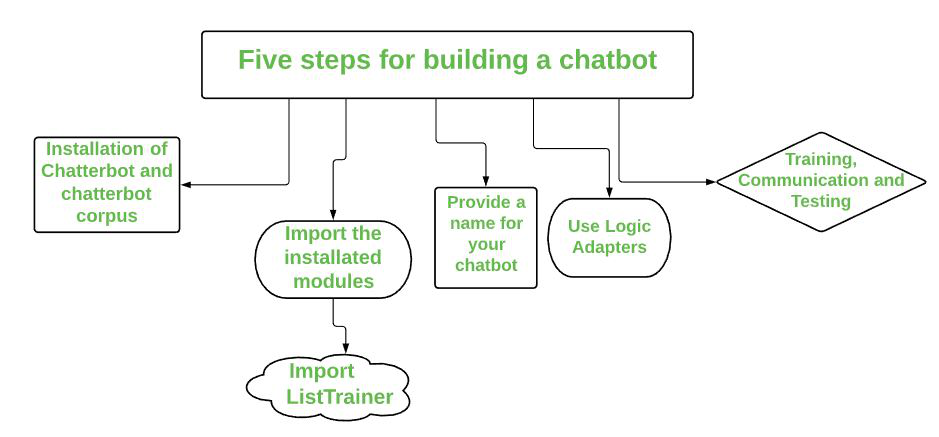
👁 ImageLet’s begin the journey of our own chatbot in the shortest way possible:-
Step 1. Install the Chatterbot and chatterbot_corpus module :
The first and foremost step is to install the chatterbot library. You also need to install the chatterbot_corpus library. Basically, Corpus means a bunch of words. The Chatterbot corpus contains a bunch of data that is included in the chatterbot module. The corpus is used by bots to train themselves.
Run the following pip commands on the terminal for installation:
pip install chatterbot
pip install chatterbot_corpus
Step 2. Import the modules
we have to import two classes: ChatBot from chatterbot and ListTrainer from chatterbot.trainers.
ListTrainer: Allows a chatbot to be trained using a list of strings where the list represents a conversation.
Step 3. Name our Chatbot:
Now, we will give any name to the chatbot of our choice. Just create a Chatbot object. Here the chatbot is maned as "Bot" just to make it understandable.
Step 4. Use of Logic Adapter:
The Logical Adapter regulates the logic behind the chatterbot that is, it picks responses for any input provided to it. This parameter contains a list of all the logical operators. When more than one logical adapter is put to use, the chatbot will calculate the confidence level, and the response with the highest calculated confidence will be returned as output.
Here we have used two logical adapters:
Step 5. Training, Communication, and Testing :
For the training process, you will need to pass in a list of statements where the order of each statement is based on its placement in a given conversation. We have to train the bot to improve its performance for this we need to call the train() method by passing a list of sentences. Training ensures that the bot has enough knowledge to get started with specific responses to specific inputs. After training, let's check its communication skills. And the last step is to do testing
You have to execute the following commands now:
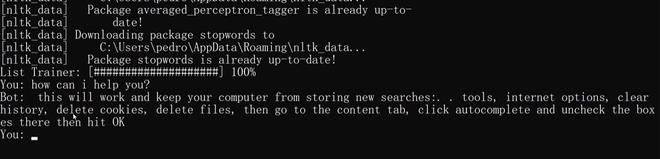
Now let, test the chatbot:
Output:
Hello
Below is the full implementation: