|
VOOZH | about |
|
VOOZH | about |
Perquisites: Python Plotly
In this article, we will learn how to plot on secondary y-Axis with plotly express.
One of the most deceptively-powerful features of Plotly data visualization is the ability for a viewer to quickly analyze a sufficient amount of information about data when pointing the cursor over the point label appears. It provides us the easiest way to read and analyze information from the document. Multi-Axis charts are used to plot data points from a query along two or more axes. Here we will discuss different methods to plot multiple y-axis in plotly express to make it more clear.
Syntax: yaxis=dict(title="yaxis title", overlaying="y", side="left", position=[0-1])
Parameters:
- title: str, (name of the axis)
- overlaying: str, (name of the bars are plotted over one another)
- side: ['top', 'bottom', 'left', 'right']
- position: int/float, [in range between 0-1].
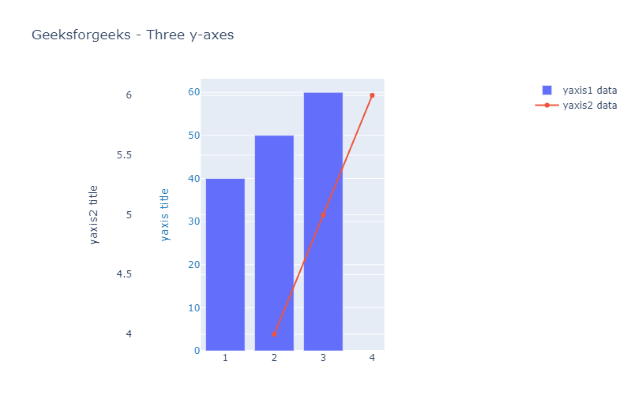
In this example, we are taking two data plots, the first one is Bar chart and another is a Scatter chart. Update_layout the properties of the figure’s layout with a dict and/or with keyword arguments, In which we will define consecutive secondary yaxis (i.e yaxis, yaxis2 ) with the help of the above-given syntax for each axis.
Output:
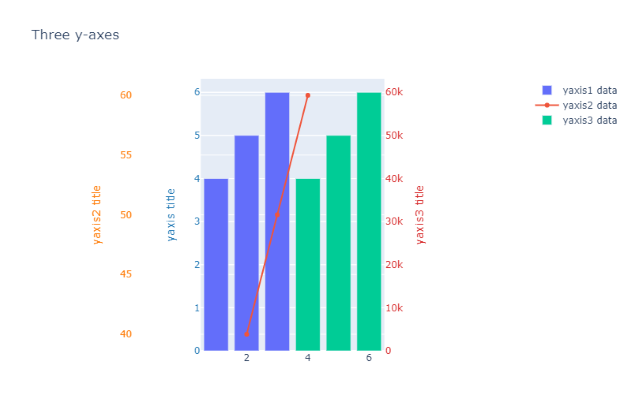
In this example, we are taking three data plots, the first one is Bar chart and another is a Scatter chart and the last one is another Bar Chart. Update_layout the properties of the figure’s layout with a dict and/or with keyword arguments. In which we will define consecutive secondary y-axis (i.e yaxis, yaxis2, yaxis3... ) with the help of the above-given syntax for each axis
Output:
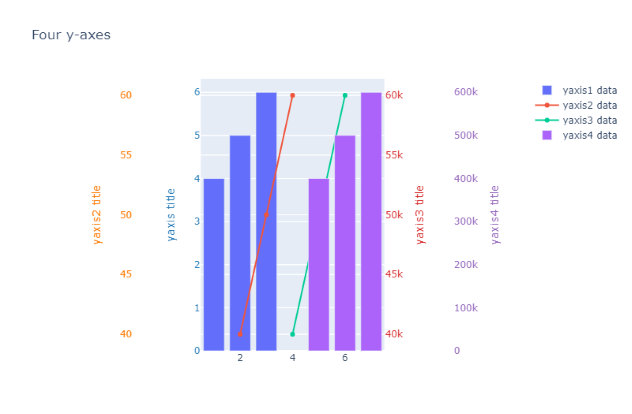
In this example, we are taking two data plots of Bar charts and two plots of Scatters charts. Update_layout the properties of the figure’s layout with a dict and/or with keyword arguments. In which we will define consecutive secondary y-axis (i.e yaxis, yaxis2, yaxis3, yaxis4 ) with the help of above-given syntax for each axis
Output: