|
VOOZH | about |
|
VOOZH | about |
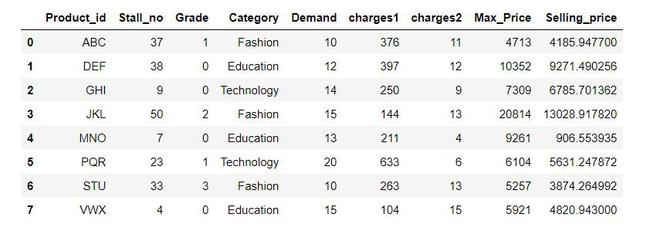
In this article, we are going to see how to Pretty Print the entire pandas Series / Dataframe. There are various pretty print options are available for use with this method. Here we will discuss 3 ways to Pretty Print the entire Pandas Dataframe:
Output:
Some Important terms to use in pretty print options are discussed below:
- display.max_columns: The maximum number of columns pandas should print. If None is provided as an argument all columns are printed.
- display.max_rows: The maximum number of rows pandas should print. If None is provided as an argument all rows are printed.
- display.colheader_justify: Controls the alignment of column headers
- display.precision: Floating point output precision in terms of a number of places after the decimal, for regular formatting as well as scientific notation.
- display.width: Width of the display in characters. If set to None, pandas will correctly auto-detect the width.
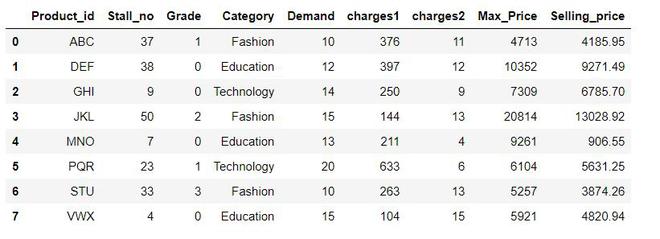
We will use some options of the set_options() method on the above df to see all rows, all columns, all columns in one row with center-aligned column headers, and rounding the number of places after the decimal for each floating value to 2.
Output:
Once set through pd.set_options() method, the same settings are used with all the next Dataframe printing commands.
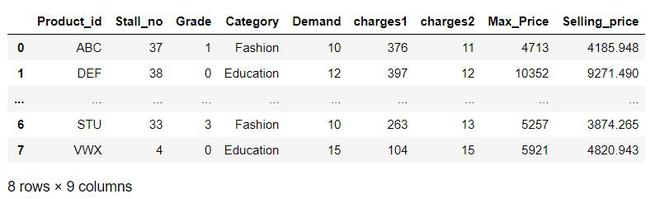
The pd.set_option() method provides permanent setting for displaying dataframe. pd.option_context() temporarily sets the options in with statement context. Following code prints the above df with 4 rows, all columns, all columns in one row with left-aligned column headers, and rounding the number of places after the decimal for each floating value.
Output:
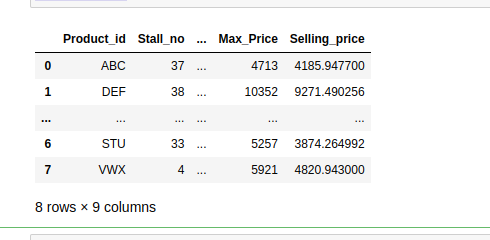
Following code prints the above df with 4 rows, 4 columns, all columns in one row with left-aligned column headers, and not rounding the number of places after the decimal for each floating value.
Output: