|
VOOZH | about |
|
VOOZH | about |
Prerequisites: Numpy
NumPy is a general-purpose array-processing package. It provides a high-performance multidimensional array object and tools for working with these arrays. This article depicts how numeric data can be read from a file using Numpy.
Numerical data can be present in different formats of file :
There are multiple ways of storing data in files and the above ones are some of the most used formats for storing numerical data. To achieve our required functionality numpy's loadtxt() function will be used.
Syntax: numpy.loadtxt(fname, dtype=’float’, comments=’#’, delimiter=None, converters=None, skiprows=0, usecols=None, unpack=False, ndmin=0)
Parameters:
fname : File, filename, or generator to read. If the filename extension is .gz or .bz2, the file is first decompressed. Note that generators should return byte strings for Python 3k.
dtype : Data-type of the resulting array; default: float. If this is a structured data-type, the resulting array will be 1-dimensional, and each row will be interpreted as an element of the array.
delimiter : The string used to separate values. By default, this is any whitespace.
converters : A dictionary mapping column number to a function that will convert that column to a float. E.g., if column 0 is a date string: converters = {0: datestr2num}. Default: None.
skiprows : Skip the first skiprows lines; default: 0.Returns: ndarray
Given below are some implementation for various file formats:
Link to download data files used :
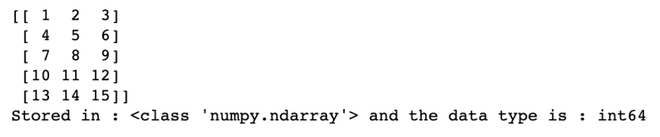
Example 1: Reading numerical data from text file
Output :
Example 2: Reading numerical data from CSV file.
Output :
Example 3: Reading from tsv file
Output :
Example 4: Select only particular rows and skip some rows
Output :