|
VOOZH | about |
|
VOOZH | about |
Python provides multiple options for building GUI (Graphical User Interface) applications. Among them, Tkinter is one of the most widely used and simplest options. It comes bundled with Python and serves as a standard interface to the Tk GUI toolkit.
However, Tkinter alone does not provide support for advanced image operations such as resizing. To work with images effectively, we use the Pillow library, which integrates smoothly with Tkinter and allows image processing tasks like resizing, cropping, rotating, etc.
In this article, we’ll learn how to resize an image in Python using Tkinter and Pillow and display it in a GUI window.
Image.resize((width, height), resample=Image.BICUBIC)
Parameters:
You need to install Pillow (a modern fork of the Python Imaging Library):
pip install pillow
Windows & macOS: Tkinter comes pre-installed with Python.
Linux (some distros): You may need to install it manually.
On Ubuntu/Debian:
sudo apt-get install python3-tk
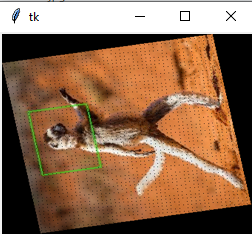
Output:-
Explanation: