|
VOOZH | about |
|
VOOZH | about |
In this article, we are going to see how to send automated email messages which involve delivering text messages, essential photos, and important files, among other things. in Python.
We'll be using two libraries for this: email, and smtplib, as well as the MIMEMultipart object. This object has multiple subclasses; these subclasses will be used to build our email message.
Step 1: Import the following modules
Step 2: Let's set up a connection to our email server.
Step 3: Now, built the message content.
Step 4: Let's look at how to attach pictures and multiple attachments.
Attaching Images:
Attaching Several Files:
Step 5: The last step is to send the email.
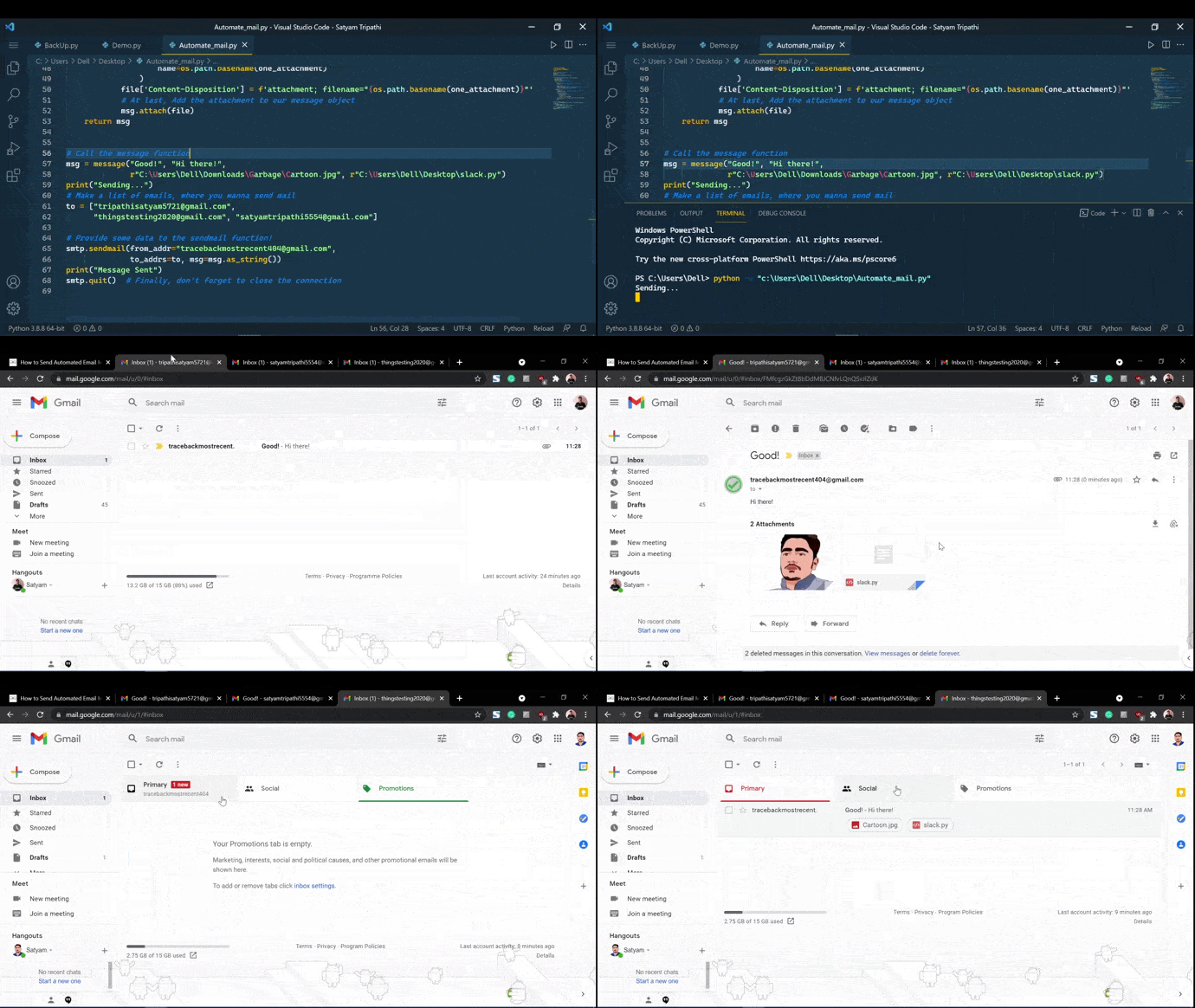
Below is the full implementation:
Output:
👁 ImageFor scheduling the mail, we will make use of the schedule package in python. It is very lightweight and easy to use.
Install the module
pip install schedule
The below function will call the function mail every 2 seconds.
schedule.every(2).seconds.do(mail)
This will call the function mail every 10 minutes.
schedule.every(10).minutes.do(mail)
This will call the function in every hour.
schedule.every().hour.do(mail)
Calling every day at 10:30 AM.
schedule.every().day.at("10:30").do(mail)
Calling a particular day.
schedule.every().monday.do(mail)
Below is the implementation: