|
VOOZH | about |
|
VOOZH | about |
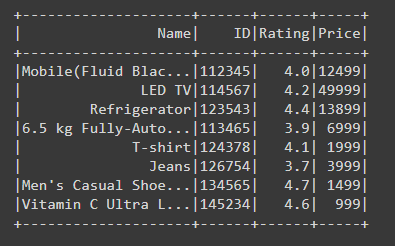
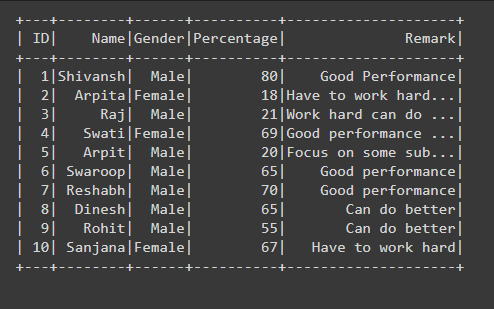
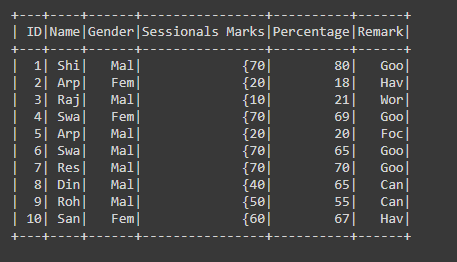
Sometimes in Dataframe, when column data containing the long content or large sentence, then PySpark SQL shows the dataframe in compressed form means the first few words of the sentence are shown and others are followed by dots that refers that some more data is available.
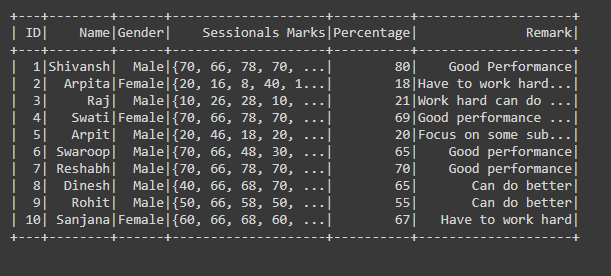
👁 ImageFrom the above sample Dataframe, we can easily see that the content of the Name column is not fully shown. This thing is automatically done by the PySpark to show the dataframe systematically through this way dataframe doesn't look messy, but in some cases, we are required to read or see the full content of the particular column.
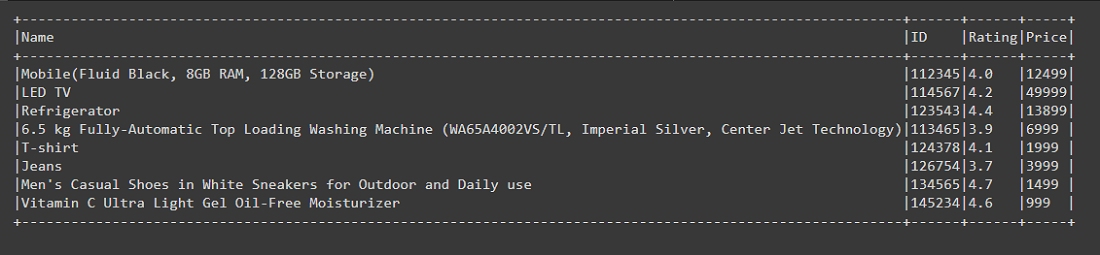
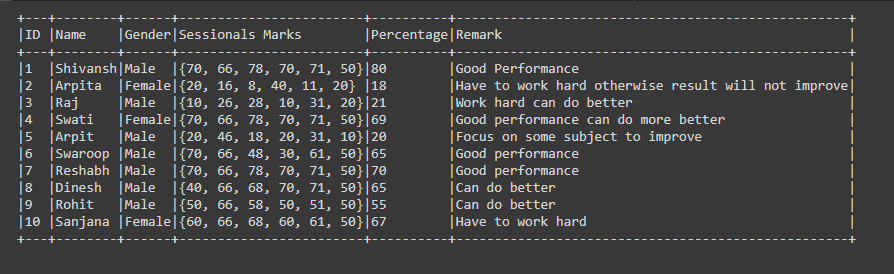
So in this article, we are going to learn how to show the full column content in PySpark Dataframe. The only way to show the full column content we are using show() function.
Syntax: df.show(n, truncate=True)
Where df is the dataframe
- show(): Function is used to show the Dataframe.
- n: Number of rows to display.
- truncate: Through this parameter we can tell the Output sink to display the full column content by setting truncate option to false, by default this value is true.
Example 1: Showing full column content of PySpark Dataframe.
Output:
👁 ImageExample 2: Showing Full column content of the Dataframe by setting truncate to 0.
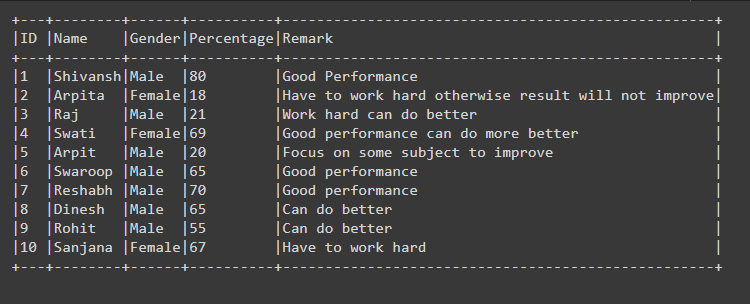
In the example, we are setting the parameter truncate=0, here if we set any integer from 1 onwards such as 3, then it will show the column content up to three character or integer places, not more than that as shown in the below fig. But here in place of False if we pass 0 this will also act as the False, like in binary number 0 refers to false and show the full column content in the Dataframe.
Output:
👁 Image
Example 3: Showing Full column content of PySpark Dataframe using show() function.
In the code for showing the full column content we are using show() function by passing parameter df.count(),truncate=False, we can write as df.show(df.count(), truncate=False), here show function takes the first parameter as n i.e, the number of rows to show, since df.count() returns the count of the total number of rows present in the Dataframe, as in the above case total number of rows is 10, so in show() function n is passed as 10 which is nothing but the total number of rows to show.