|
VOOZH | about |
|
VOOZH | about |
Django is a robust backend framework that seamlessly integrates with the "unit test" module. As the Django project grows, the complexity of the tests also increases. It is essential to organize unit tests across multiple files to keep the test suite manageable. This maintains the code readability and helps in easier debugging. In this article, we will learn to separate our tests for views, models, and forms in separate files.
Let's set up the project:
django-admin startproject geekproject
cd geekproject
python manage.py startapp geekapp
Add the geekapp to the installed app in geekproject/settings.py file
Now, let's create a model, a view and a form.
In the geekapp/models.py, we can create a Book model.
Appling migrations to create the necessary database tables for the model.
python manage.py makemigrations
python manage.py migrate
In the geekapp/forms.py, create a form for the Book model.
In the geekapp/views.py, create a view that uses the Book form.
In the geekapp/templates/geekapp/create_book.html create a simple template to render the form:
In the geekapp/urls.py, add a URL pattern for the views.
Also include this URL pattern in the project in "main urls.py". To do this use the following code.
The django tests are located in tests.py within the app directory. When the test cases grow a single file is not suitable. So, the need for tests into multiple files arises. To structure the extended test files. Create a "tests_suite" directory inside the Django app. Organize the test cases by functionality inside the "tests_suite" directory and create separate files for different aspects based on the application. For example,
Include the "__init__.py" file to make the tests, create an empty "__init__.py" file inside the tests directory. This allows Django to run all the tests within the directory. The directory structure is in the following format.
In the geekapp/tests_suite/test_models.py, write tests for the Book model.
In the geekapp/tests_suite/tests_views.py, write tests for the views.
In the geekapp/tests_suite/tests_forms.py, write tests for the form.
When the user starts to run the tests, Django's default behavior is to find all the test cases (i.e. subclasses of unittest.TestCase) in any of the file whose name starts with test, it automatically builds the test suite for those test case classes .Then it runs that suite. The default startapp template creates a tests.py file for the new application, which works well for a few tests. However, as your test suite expands, you’ll probably want to organize it into a tests package, allowing you to split tests into separate modules like test_models.py, test_views.py and test_forms.py
Django automatically detects the pattern "test*.py". When the Django test command starts to run, it picks up all the files in this directory. To run the Django project use the command.
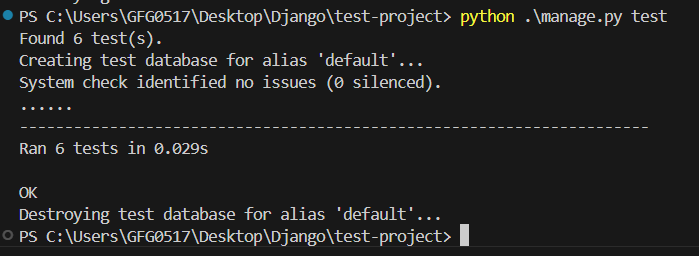
To Run all the test cases at once:
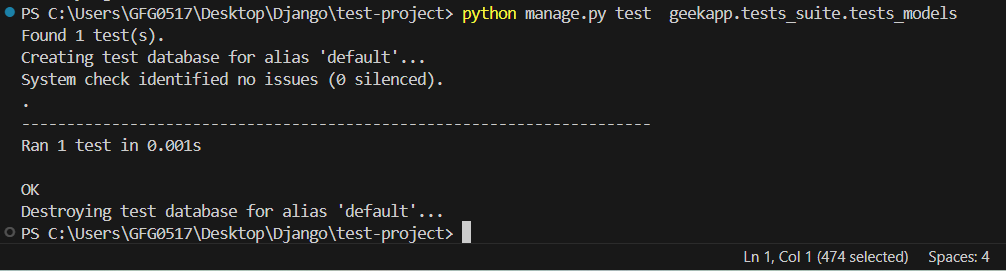
python manage.py testTo run tests from a single file in tests_models.py
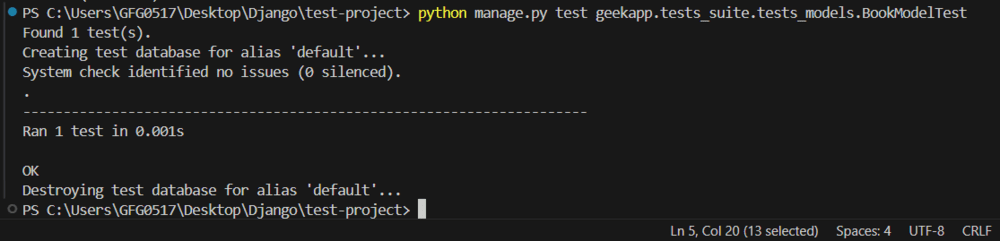
python manage.py test geekapp.tests_suite.tests_modelsTo run a specific test class from a test file, MyModelTestCase from test_models.py
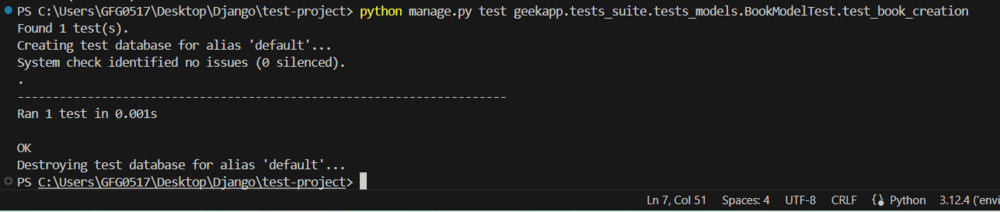
python manage.py test geekapp.tests_suite.tests_models.BookModelTestTo run a specific test method from a class, test_model_creation from MyModelTestCase.
python manage.py test myapp.tests_suite.tests_models.BookModelTest.test_model_creationOrganizing the test cases in Django across multiple files is a best practice for maintenance of clean and scalable code. By creating a "tests" directory and dividing them into separate files based on their functionalities make the test suite more modular and easier to manage. Django built in test_discovery helps to run all the test cases regardless of how they are organized in the directory structure.
Django test cases are a way to ensure that your Django application behaves as expected. They are written using Python’s unittest framework and Django’s test utilities. Test cases can cover various aspects of your application, such as views, models and forms
Django automatically sets up a separate test database for running tests. This ensures that your test cases do not affect your production or development databases. If you don't need to manually configure this; Django handles it when you run python "manage.py test".
Django's TestCase class uses transactions to ensure that the database is rolled back to its previous state after each test method. This means that your tests will not interfere with each other as long as they are using the TestCase class.