|
VOOZH | about |
|
VOOZH | about |
Flask is a popular web framework for Python that makes it easy to build web applications. One of the key elements of any web application is styling, which is where CSS (Cascading Style Sheets) comes in. CSS allows us to control the look and feel of our web pages, making them more attractive and user-friendly.
First, create a basic Flask project.
pip install flask
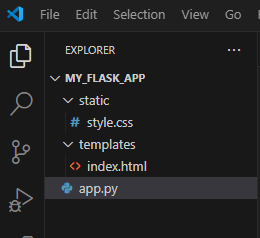
Next, check the Directory setup
Inside this directory, create a new Python file called app.py. This will be the main file for your Flask application.
Flask uses a folder called templates to store HTML files. Create a new directory named templates in your project folder and then create an index.html file inside this directory. The <link> tag in the <head> section. This tag tells the browser to load a CSS file named styles.css from the static directory. Flask uses the url_for function to generate the correct URL for this file.
With everything set up, it's time to run our Flask application. In the terminal or command prompt, navigate to the project directory and run.
python app.py
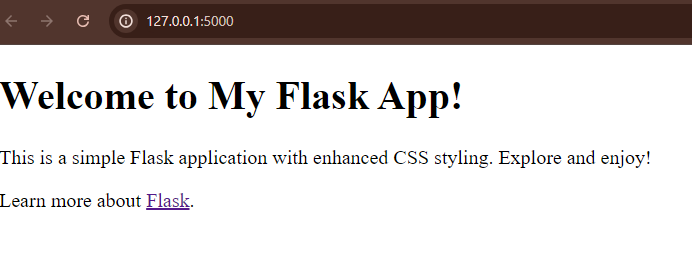
Output