|
VOOZH | about |
|
VOOZH | about |
Glob is a powerful pattern-matching technique widely used in Unix and Linux environments for matching file and directory names based on wildcard patterns. Python’s built-in glob module provides similar functionality, enabling you to easily find files and directories matching specific patterns. The glob module uses Unix shell-style wildcards such as:
Because glob follows these patterns, it offers a simple yet powerful way to search files by name patterns without manually parsing directories.
From Python 3.5 onwards, the glob module supports recursive searching using the ** pattern combined with the recursive=True argument. It's Key Points include:
glob.glob(pathname, *, recursive=False)
glob.iglob(pathname, *, recursive=False)
Example:
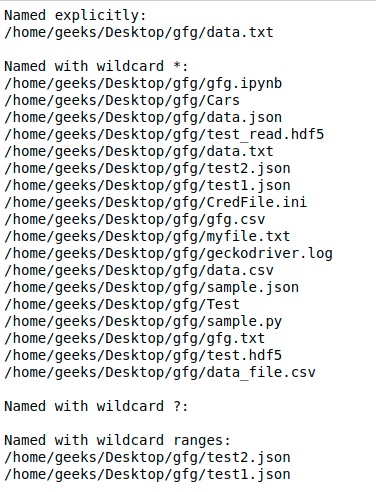
Output :
👁 python-globWe can use the function
glob.glob()
or
glob.iglob()
directly from glob module to retrieve paths recursively from inside the directories/files and subdirectories/subfiles.
Syntax:
glob.glob(pathname, *, recursive=False)
glob.iglob(pathname, *, recursive=False)
Note:
When recursive is set
True
"
**
" followed by path separator
('./**/')
will match any files or directories.
Example:
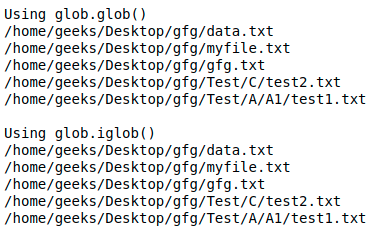
Output :
👁 python-globFor older versions of python:
The most simple method is to use
os.listdir()as it is specifically designed and optimized to allow recursive browsing of a directory tree. Or we can also use
to get all the files in directory and subdirectories and then filter out. Let us see it through an example-
Example:
Output :
./src/add.c
./src/subtract.c
./src/sub/mul.c
./src/sub/div.c

./src/add.c
./src/subtract.c
./src/sub/mul.c
./src/sub/div.c

./src/add.c
./src/subtract.c
./src/sub/mul.c
./src/sub/div.c