Google Bard (Currently known as Gemini) is an advanced AI chatbot developed by Google that can help with answering questions, summarizing content, writing creatively, and much more. However, as of now, Google has not released an official API for Bard. But using the open-source Python package bardapi, we can interact with Bard programmatically using a workaround based on session cookies.
Note: This method is unofficial and relies on browser session cookies. It may stop working if Google changes how Bard handles authentication.
Advantages of Google Bard
It is easy to use we can ask anything by writing any query as we type a message or we can also ask just by saying by clicking on the mic.
It personalizes the result of user queries according to the previous history of queries asked by the user.
It can make finding the information we need as we do not follow the procedure of using Google search.
It provides answers to user queries very quickly, usually within a second.
Limitations of Google Bard
As it is still in an experimental phase or Beta Phase it provides less accurate information such as writing codes but generally, Google Bard provides accurate information.
It is available in multiple languages but it may be able to provide answers in some specific languages only.
It is developed to answer specific types of queries and may not be able to answer some complex queries.
Using Google Bard with Python
We’ll create a simple command-line tool where you can enter a prompt, and Bard will respond in natural language.
Step 1: Install Required Packages
Before proceeding, ensure you have Python installed. Then, install the other required libraries using this command:
pip install bardapi python-dotenv
bardapi allows interaction with Bard.
python-dotenv helps securely load environment variables (like API keys) from a .env file.
Step 2: Get the Required Bard Cookie
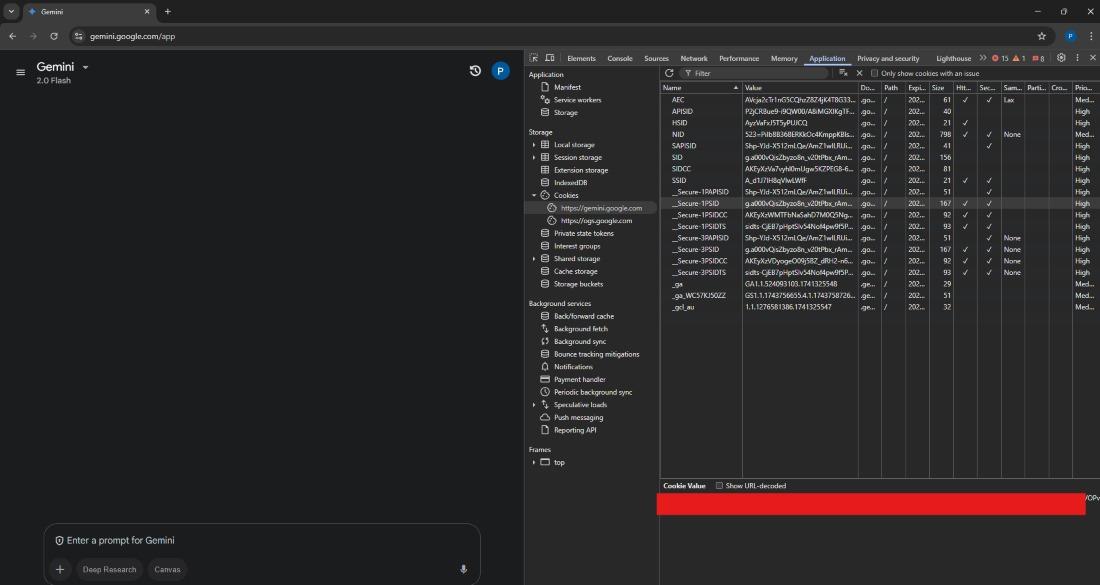
To authenticate with Bard unofficially, you'll need to extract the __Secure-1PSID cookie from your browser:
Press F12 or Ctrl + Shift + I to open Developer Tools.
Go to the Application tab.
Under Storage - Cookies, click on https://gemini.google.com/ (currently its- https://gemini.google.com/).
Look for __Secure-1PSID, then copy its value.
👁 bard-cookie __Secure-1PSID will be at the area highlighted as red
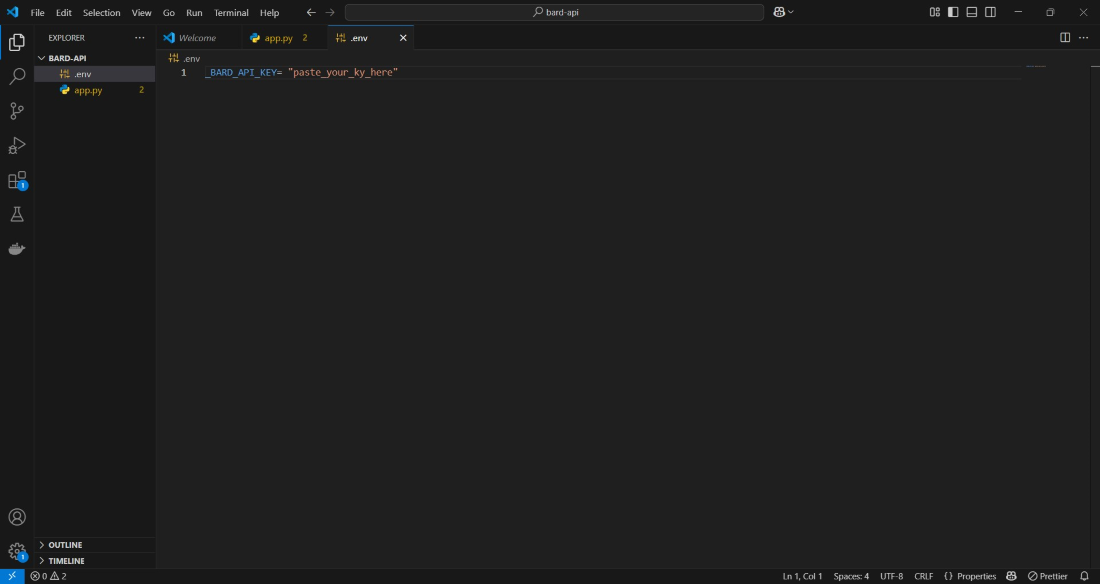
As with any API key, it's a good practise to avoid putting it directly into your code. Therefore we will create a .env file and add a line for the value. Note that the key name _BARD_API_KEY is the exact name required by the Python library: