VOOZH about

URL: https://www.geeksforgeeks.org/python/implement-a-python-rest-api-with-flask-flasgger/

⇱ Implement a Python REST API with Flask & Flasgger - GeeksforGeeks


  • Courses
  • Tutorials
  • Interview Prep

Implement a Python REST API with Flask & Flasgger

Last Updated : 17 May, 2024

Building a RESTful API in Python can be straightforward with Flask, a lightweight and flexible web framework. To add comprehensive documentation and interactive features to the API, Flasgger is a powerful tool that integrates Swagger UI with Flask. This article guides you through the process of implementing a REST API using Flask and Flasgger.

What is Flasgger?

Flasgger is a Python library that facilitates the creation and management of Swagger (OpenAPI) documentation for Flask web applications. Swagger is a framework for describing APIs using a common language that allows both humans and computers to understand the capabilities of a web service without access to the source code.

Key features of Flasgger include:

  1. Easy Integration: Flasgger integrates seamlessly with Flask applications, allowing developers to add API documentation with minimal configuration.
  2. Automatic Documentation: It can automatically generate API documentation from Flask routes and view functions, using docstrings and other metadata.
  3. Swagger UI: Flasgger provides a built-in Swagger UI, an interactive web interface that allows users to explore and test API endpoints.
  4. Customization: Developers can customize the documentation by defining the schema, adding parameters, responses, and examples directly in the docstrings or using YAML files.
  5. Validation: It supports request validation against the defined schema to ensure that incoming requests meet the expected format and constraints.

First API Development with Swagger

Here's a step-by-step guide to creating a Code-First API development with Swagger in Python using the Flask web framework:

Setting up Environment

  • Make sure you have Python pre-installed in your system.
  • Install these required libraries like Flask and Flask-RESTful as shown below in a command prompt.
pip install flask
pip install Flask-RESTful
pip install flasgger

Create a Flask APP

Create a new Python file named app.py , for example

Output:

Run this file as shown in the code snippet below:

python app.py

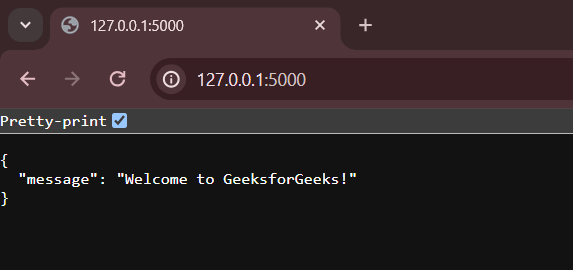
Then the app will be running on local host http://127.0.0.1:5000. Open the localhost http://127.0.0.1:5000 and the output will be as shown in the below figure.

👁 s
Flask Api without Swagger

Integration with Swagger

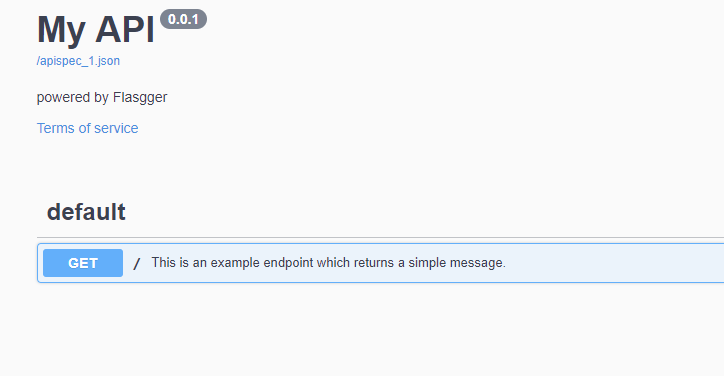
The Swagger configuration has been expanded to include a title and set the UI version to 3 for a more modern look.

Output


👁 Capture1


Creating one more API

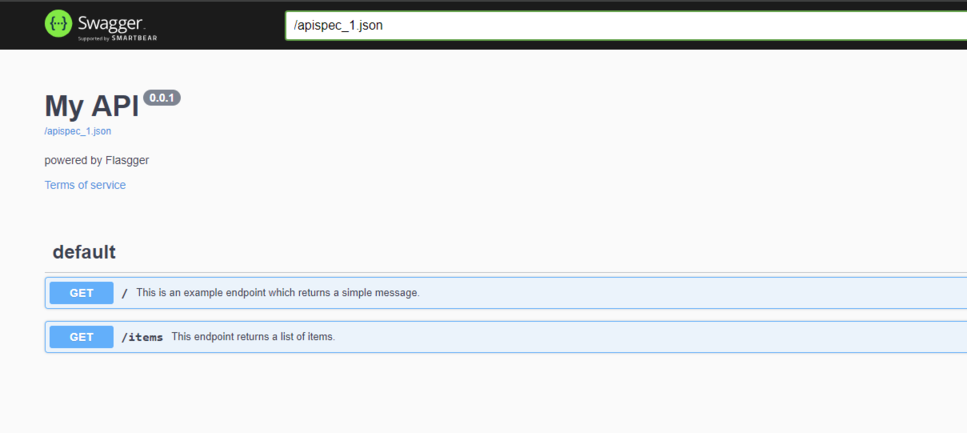
A new class Items has been added, inheriting from Resource. This class handles the /items endpoint.

  • Items Class:
    • This class handles two HTTP methods: GET and POST.
    • The get method returns a list of items.
    • The post method adds a new item to the list. For simplicity, the item is returned in the response, and in a real application, it would typically be added to a database or another data store.

Run this file as shown in the code snippet below:

python app.py
  • Then the app will be running on local host http://127.0.0.1:5000.
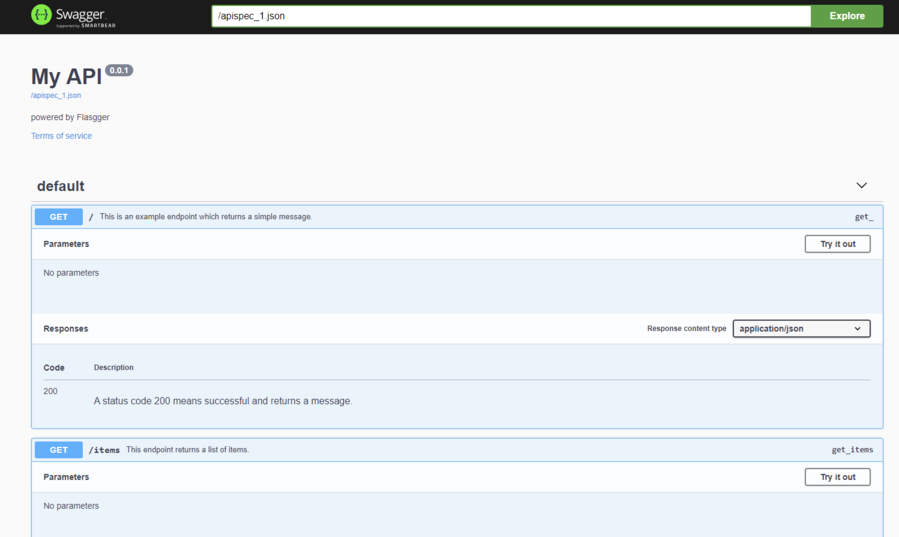
  • Open the localhost http://127.0.0.1:5000/apidocs/
  • Swagger UI will be opened (Flasgger).
  • The GET Api call will be displayed , if there are no errors in the code and environment as shown in below output image.

Output:

Output will be displayed as shown in below image.


👁 Capture3-ezgifcom-resize


👁 Capture-ezgifcom-resize


Comment
Article Tags: