|
VOOZH | about |
|
VOOZH | about |
Redis is an in-memory data structure store, and it is widely used as a caching mechanism and message broker. Installing Redis with Python on Windows can be a bit challenging due to the absence of native support for Windows in the Redis project. However, there are several approaches to achieve this. In this article, we'll explore how to install Python Redis on a Windows environment.
Redis is an open-source, in-memory data structure store that can be used as a cache, message broker, and real-time data store. It provides a key-value data model, where keys are associated with various data structures like strings, hashes, lists, sets, and more. Redis is designed for high performance, scalability, and simplicity, making it a popular choice for a variety of use cases.
In the context of Python, developers can interact with Redis using the redis-py library, which is a Python client for Redis. This library allows Python applications to connect to a Redis server, send commands, and retrieve results.
Below are the steps by which we can install Redis on windows in Python:
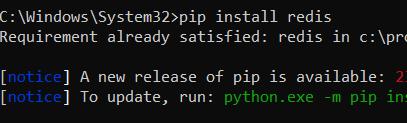
We can install Python redis by using the following command:
pip install redis
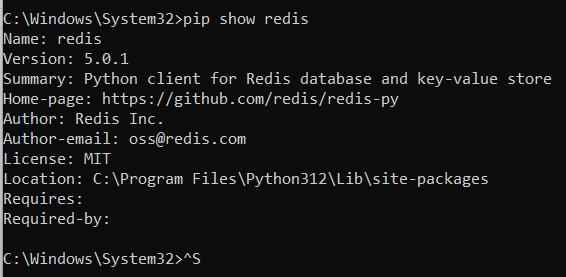
We can verify the installation by using the following command:
pip show redisIn conclusion, by following these steps, you can set up redis-py on your Windows system, enabling you to integrate Python applications with a Redis database. Keep in mind the considerations for running Redis on Windows and choose the most suitable approach based on your development and production requirements.