|
VOOZH | about |
|
VOOZH | about |
In this article, we are going to see how to install TensorFlow in Linux. It is a completely open-source library for numerical computation using data flow graphs.
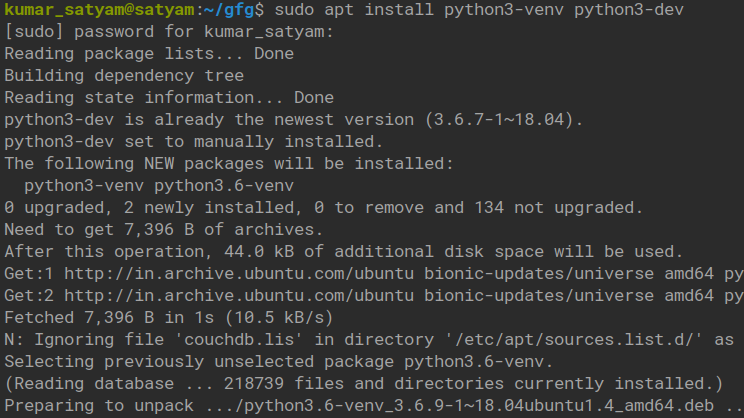
Step 1: Create a virtual environment for the python venv model.
sudo apt install python3-venv python3-dev👁 Image
Step 2: Create a python 3 virtual environment.
mkdir tensor
cd tensor/
python3 -m venv <virtual_environment_name>
👁 Image
Step 3: Now check the pip version in a virtual environment.
pip --version👁 Image
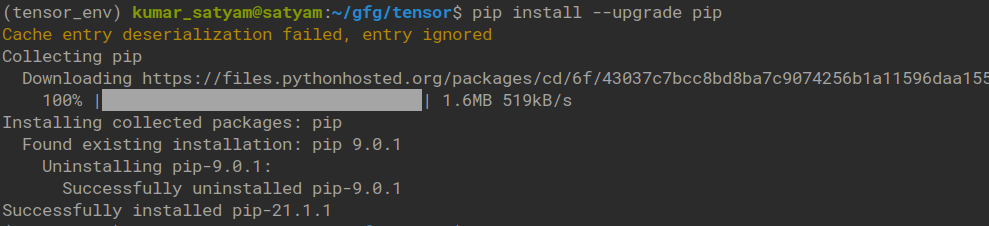
Here our pip is 9, so we need to upgrade the pip using --upgrade:
pip install --upgrade pip👁 Image
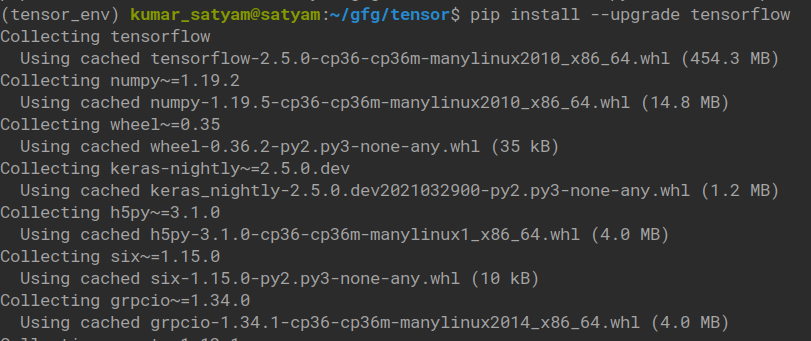
Step 4: Install TensorFlow using pip:
pip install --upgrade tensorflow👁 Image
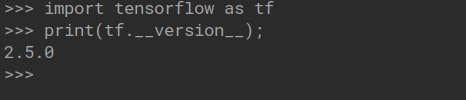
Step 5: Check it is installed properly or not.
import tensorflow as tf
print(tf.__version__);
👁 Image