|
VOOZH | about |
|
VOOZH | about |
In this article, we will explore how to Install Sqlalchemy-Utils Using Pip. To utilize Sqlalchemy-Utils functionalities, it is essential to Install Sqlalchemy-Utils Using Pip and this can be achieved by following the steps outlined below.
SQLAlchemy-Utils is a library that provides various utility functions and extensions for SQLAlchemy, which is a popular SQL toolkit and Object-Relational Mapping (ORM) library for Python. SQLAlchemy-Utils extends the functionality of SQLAlchemy by offering additional features and tools to simplify common tasks when working with databases.
Below, we will be able to explain step-by-step on how to Install Sqlalchemy-Utils Using Pip in Python.
Before using Sqlalchemy-Utils , it is necessary to install the Sqlalchemy-Utils library by executing the following command in the terminal:
pip install Sqlalchemy-Utils Output:
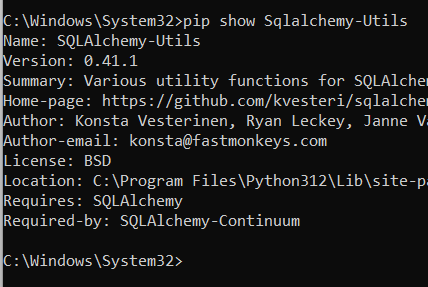
Once Sqlalchemy-Utils is installed, you can check the version using below command. This not only makes your code more concise but also follows a widely adopted practice in the Python community.
pip show Sqlalchemy-UtilsOutput:
In below code, establishes an SQLite in-memory database and defines a Task model using SQLAlchemy-Utils' ChoiceType to represent enumerated priority levels. The ChoiceType ensures that the 'priority' column can only have values chosen from a predefined set: 'Low', 'Medium', and 'High'. The declarative base class, declarative_base(), is utilized to create the base for the model, and the table is named 'tasks'.
Output: