|
VOOZH | about |
|
VOOZH | about |
In the age of digital transformation, extracting information from images and scanned documents has become a crucial task.
Optical Character Recognition (OCR) is a technology that enables this by converting different types of documents, such as scanned paper documents, PDF files, or images taken by a digital camera, into editable and searchable data. The Pytesseract module, a Python wrapper for Google's Tesseract-OCR Engine, is one of the most popular tools for this purpose.
Pytesseract is an OCR tool for Python, which enables developers to convert images containing text into string formats that can be processed further. It is essentially a Python binding for Tesseract, which is one of the most accurate open-source OCR engines available today.
Tesseract is a free and open-source OCR (Optical Character Recognition) engine.
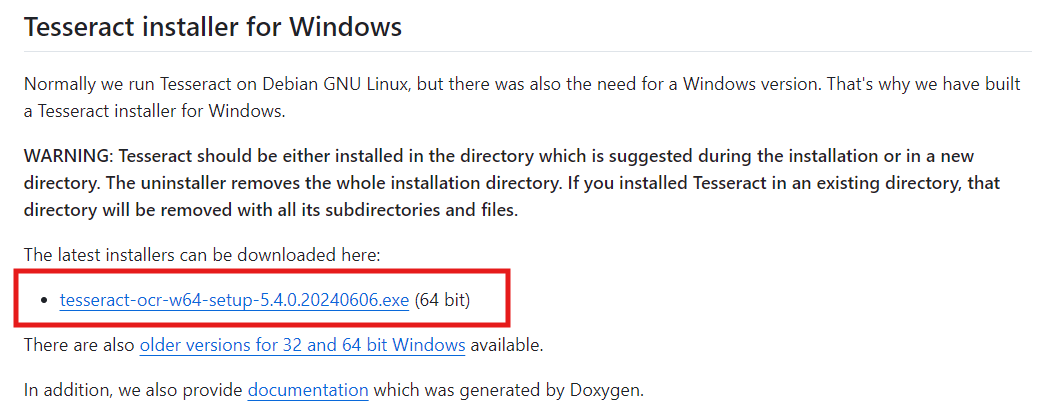
tesseract-ocr-setup.exe) from the releases section.brew install tesseractsudo apt update
sudo apt install tesseract-ocr
Path variable, then click Edit.tesseract.exe file (usually located in C:\Program Files\Tesseract-OCR\).Open a terminal and add the Tesseract path to the shell configuration file (.bashrc, .zshrc, or .bash_profile):
export PATH="/usr/local/bin/tesseract:$PATH"Save the file and run the following command to apply changes:
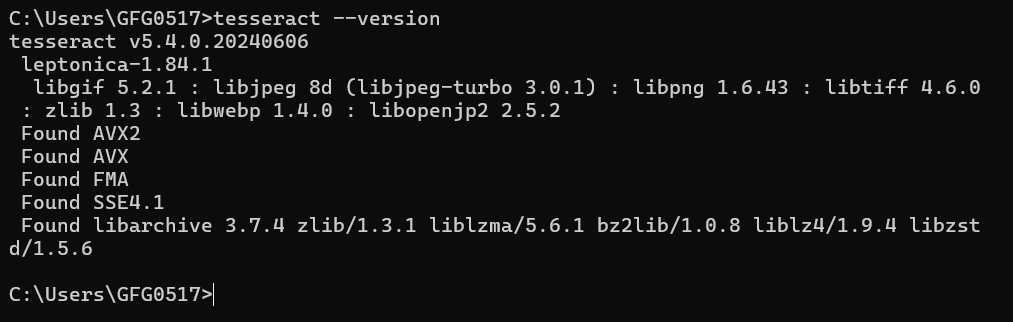
source ~/.bashrc # or source ~/.zshrcAfter adding Tesseract to our environment variables, open a terminal (or Command Prompt on Windows) and type:
tesseract --versionTo use Tesseract with Python, we also need to install the pytesseract package, which acts as a Python wrapper for Tesseract.
Let's install pytesseract using pip:
pip install pytesseractVerify the installation:
python -c "import pytesseract; print(pytesseract.get_tesseract_version())"In the first and second example, we have used the first image and for the third example we have used the second image.
Explanation : This simple example shows how to open an image and use Pytesseract to extract the text. The image_to_string method converts the image into text.
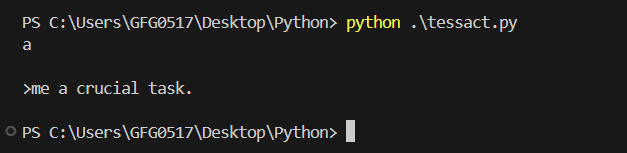
Output
Explanation: Sometimes, we may need to extract text from a specific area of the image. This example shows how to crop a region of interest (ROI) from the image and extract text from that region.
Output:
Explanation : In this example, the image is first converted to grayscale to simplify the data. A median filter is then applied to reduce noise, which is especially helpful for images with a lot of background noise. After that, the contrast of the image is enhanced to make the text more distinguishable from the background. Finally, the pre-processed image is passed to Pytesseract for text extraction.
Output
Pytesseract is a powerful and accessible tool for anyone looking to incorporate OCR functionality into their Python projects. While it has its limitations, particularly with handwritten text and complex layouts, it excels in extracting text from images and printed documents with high accuracy. Whether we're working on digitizing documents or extracting text from images in multiple languages, Pytesseract provides a simple and effective solution.