|
VOOZH | about |
|
VOOZH | about |
The json.dump() function in Python is used to convert (serialize) a Python object into JSON format and write it directly to a file.
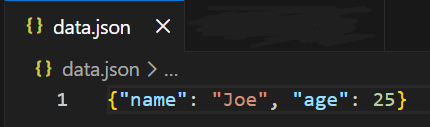
Example: This example shows how to write a Python dictionary into a JSON file using json.dump().
Output
Explanation:
json.dump(obj, file, skipkeys=False, ensure_ascii=True, check_circular=True, allow_nan=True, indent=None, separators=None)
Parameters:
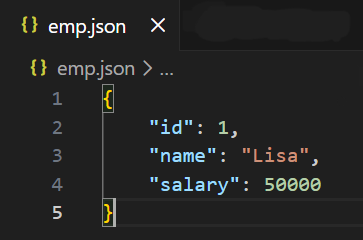
Example 1: This example writes dictionary data into a JSON file with indentation to make it easy to read.
Output
Explanation:
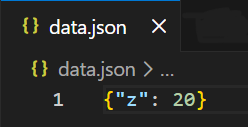
Example 2: This example shows how skipkeys=True avoids errors when keys are not JSON-compatible.
Output
Explanation:
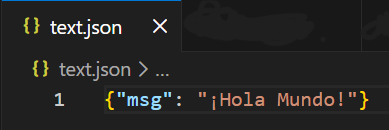
Example 3: This example preserves non-ASCII characters in the JSON file.
Output
Explanation:
Both json.dump() and json.dumps() are used to convert Python objects into JSON, but they differ in where the JSON output goes a file or a string.
| dump() | dumps() |
|---|---|
| Used when Python objects need to be written directly to a JSON file | Used when Python objects need to be converted into a JSON-formatted string |
| Requires a file object as an argument | Does not require a file, returns a string |
| Writes JSON directly to disk | Stores JSON in memory as a string |
| Commonly used for saving data to files | Commonly used for printing, logging, or API responses |
| Generally faster for file writing | Slightly slower due to string creation |