|
VOOZH | about |
|
VOOZH | about |
FastAPI authentication system using JWT enables secure user registration, login with token generation and access to protected routes. Passwords are hashed for security and user data is stored in a SQLite database to ensure safe and reliable authentication.
Run the following in your terminal to install dependencies:
pip install fastapi uvicorn python-jose[cryptography] passlib[bcrypt]
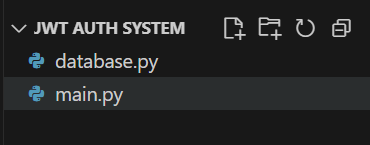
Next, create a folder named JWT Auth System. Inside it, create two files:
This will be the file structure:
Now, let’s see all the steps to create JWT-based authentication system.
Explanation:
Define security settings like secret key, JWT algorithm, and token expiration for generating and validating tokens.
Initialize the FastAPI app, set up password hashing, and configure OAuth2 to handle JWT extraction from requests.
This initializes the FastAPI app and authentication utilities. Passwords are hashed using bcrypt. OAuth2 scheme will extract tokens from headers.
Create and connect to a SQLite database to store user info. Define functions to create, retrieve and manage users.
This function connects to SQLite database and ensures a users table is created to store usernames, hashed passwords and full names. Whereas, get_user retrieves user details from SQLite database and create_user inserts a new user into database while preventing duplicates
Rest of the code will be in main.py.
Define data schemas for user registration, public user info and JWT token responses to ensure input/output validation.
We define data models to structure and validate inputs/outputs.
Implement functions to hash and verify passwords, authenticate users and create JWT access tokens.
These utility functions handle the core logic for authentication:
Create a function that extracts and validates the current user from the JWT token for protected routes.
get_current_user() automatically runs on protected routes. It extracts JWT token, verifies it, checks expiry, decodes the username and ensures the user still exists. If valid, it returns user info; if not, it raises a 401 Unauthorized error.
Now we define the actual API endpoints:
Register: allows new users to sign up. Passwords are hashed before saving.
Login: checks credentials and returns a signed JWT token if valid.
Protected profile (/me): only accessible with a valid JWT; returns the current user’s info.
Initialize DB on startup: ensures SQLite database and users table are created automatically when FastAPI app starts.
Now, let’s run the app and see how to test it.
uvicorn main:app --reload
You will see Application startup complete in the terminal.
Visit http://127.0.0.1:8000/docs, You’ll see the endpoints POST /register, POST /login and GET /me.
Expand POST /register -> click Try it out and Enter the details, For Example:
{
"username": "Emma",
"password": "123456",
"full_name": "Emma Williams"
}
Click Execute and you will see below message:
{"message":"User registered successfully"}
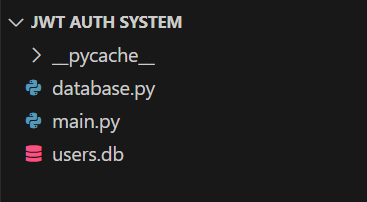
At this point, a users.db file is created in same folder as main.py. As shown below:
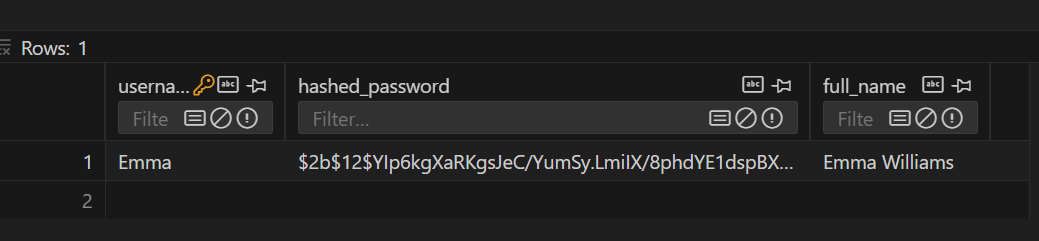
After user registration, notice that the user data has been added to our user.db (you can see it using some sqlite viewer extension).
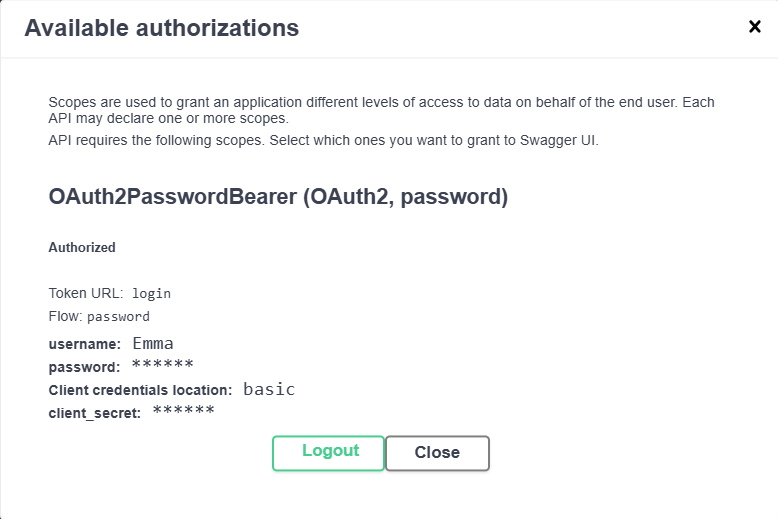
Click the Authorize button (top-right). Enter username, password and leave client_id, client_secret empty. Click Authorize -> then Close.
Swagger UI will call /login for you, receive access_token and automatically include Authorization: Bearer <token> on subsequent requests.
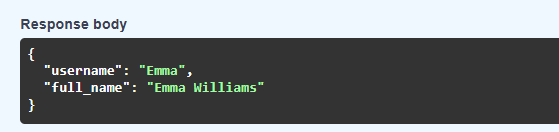
Expand GET /me -> click Try it out -> Execute. You will see below message:
JWT authentication system is now complete with SQLite database. Users can register, log in and securely access protected endpoints.