|
VOOZH | about |
|
VOOZH | about |
Flask and PostgreSQL provide a reliable combination for developing database-backed web applications. The application allows users to create, view, update, and delete product records while storing the data in a PostgreSQL database.
Step 1: Open your command line tool and connect with Postgres. After entering the username it will ask you for the password enter it appropriately.
psql -U username
Step 2: Once we successfully connected then create a new database 'flask_db'. We will use it further to create tables in it.
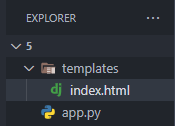
Step 3: Create a folder structure like this.
Step 4: Install Required Dependencies
Run the following command to install Flask and the PostgreSQL adapter required for connecting Python applications to PostgreSQL databases:
pip install flask psycopg2-binary
Step 5: Connect with the database. you will have to use psycopg2 connect to use the commands.
Step 6: app.py
This will authenticate the user and allows us to execute queries on it. It creates a cursor on the connection by using cur. execute() method executes the queries for us. Once we completed our queries we have to close the connection for security purposes.
Explanation:
Step 7: templates/index.html
You will need this index file to see results and perform operations. Just add these template codes to their respective path.
Step 8: Run our app
Enter this command to run project in the development mode and make sure the flask debug is on.
flask run
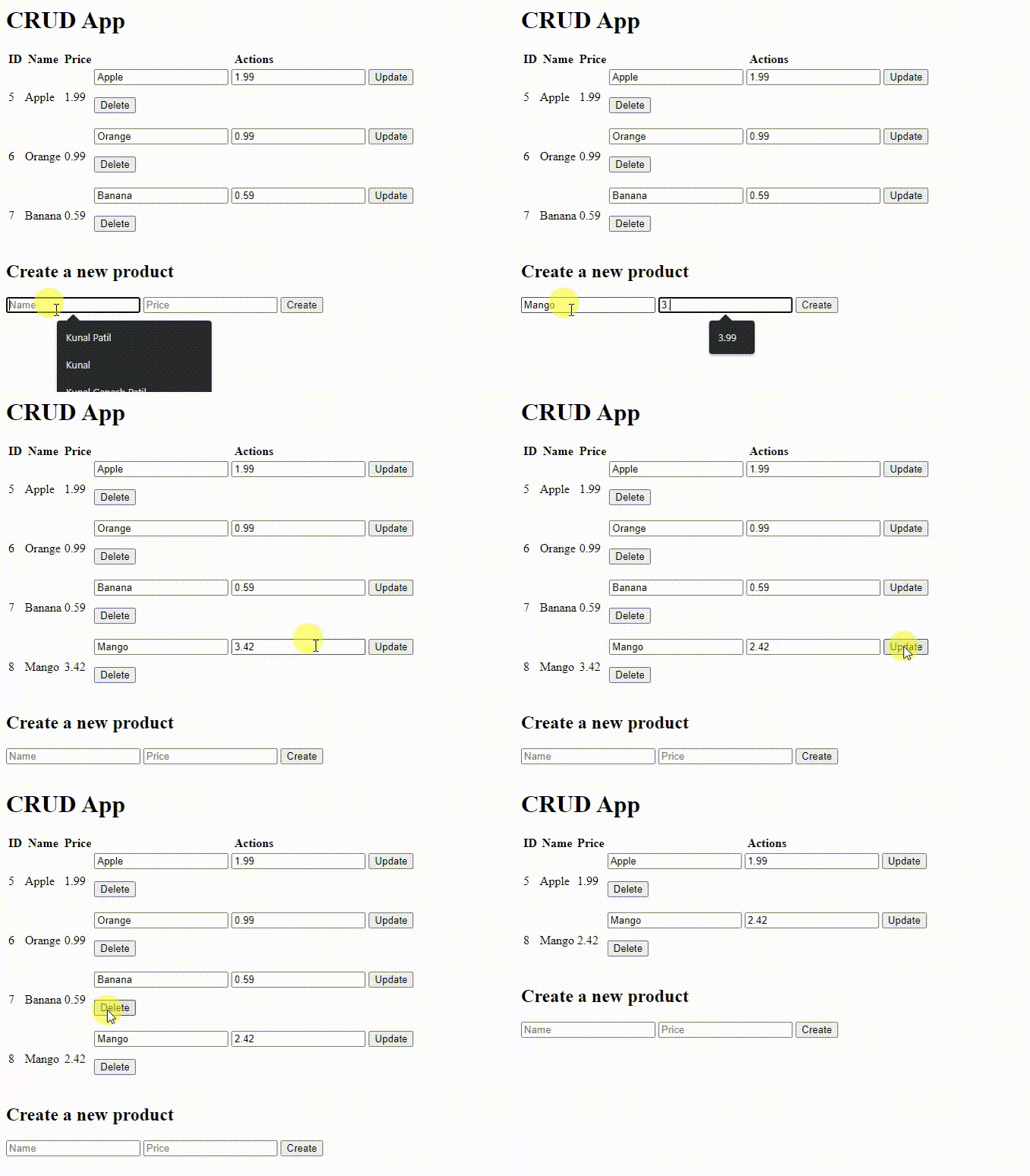
Through this, we have successfully executed Crud operations on the database. You will have the output attached to this and a GitHub repository link where you can find all the source code.
Output: