|
VOOZH | about |
|
VOOZH | about |
The NBFormat Python library is a powerful tool, that is used to manipulate Jupyter Notebooks programmatically. It provides a set of functions that allow developers to create, read, modify, and validate Jupyter Notebook files (.ipynb) without manually doing it. We can use this library to automate notebook-related tasks, batch processing, and integrate notebook functionality into other applications.
In this article, we will understand the functionalities of the NBFormat Python library. We will start by understanding how to install this library, next we will understand functionalities like creating a new notebook, reading an existing one, editing a notebook cell, adding metadata, and validating a notebook. We will also implement all these functionalities. By the end of this article, we will be able to perform all these functionalities to manipulate a Jupyter notebook.
To install the NBFormat library, simply run the below command in our terminal:
pip install nbformatThe first functionality of the NBFormat library is that we can create Jupyter Notebooks programmatically. Generative Pre-trained Transformers like ChatGPT and Gemini utilize this functionality of the `nbformat` library to create notebooks upon user requests in the backend. This allows us to generate notebooks without needing to open the Jupyter interface.
Now lets implement a code to create and save a new Jupyter notebook programmatically.
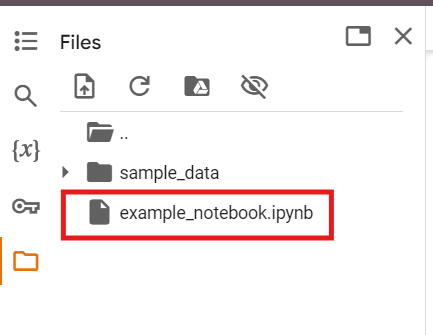
After running this code, a new file named 'example_notebook.ipynb' will be saved in the current directory.
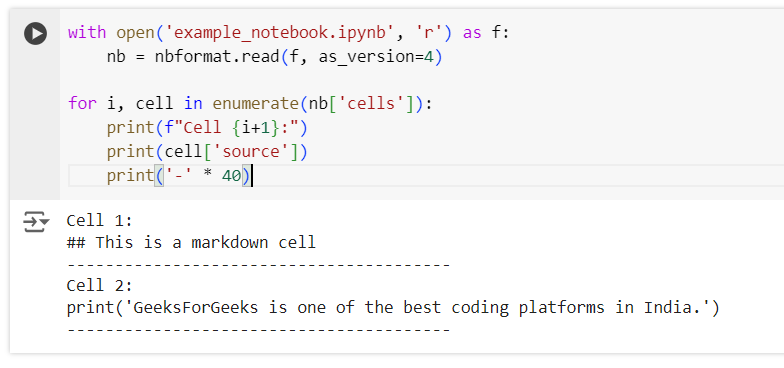
Now that we have created a notebook, let’s use the `nbformat` library to read and display the content of the notebook. GPT models use this functionality to read the notebooks users upload in order to process and respond to their requests.
Now, to implement this,
For clarity, we will print a separator line after each cell's content.
Output:
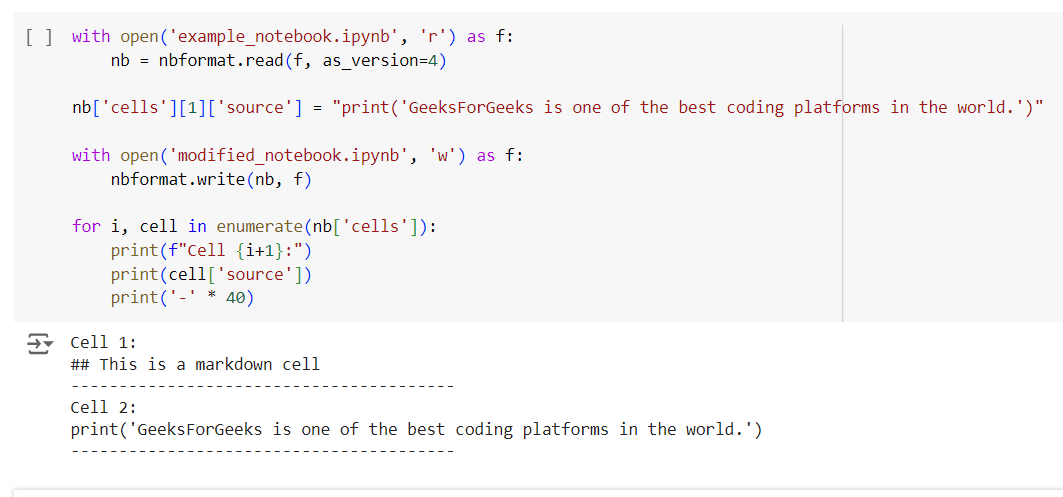
The next main functionality that NBFormat library provides is the ability to edit and update the notebook. We can change the cell types from markdown to code and vice versa. we can use it to add and delete a specific cell from the notebook. GPTs use this functionality to update the notebooks based on users new request.
To implement this,
Finally, we will iterate through the cells of the modified notebook and print their contents, along with a separator line for clarity.
Output
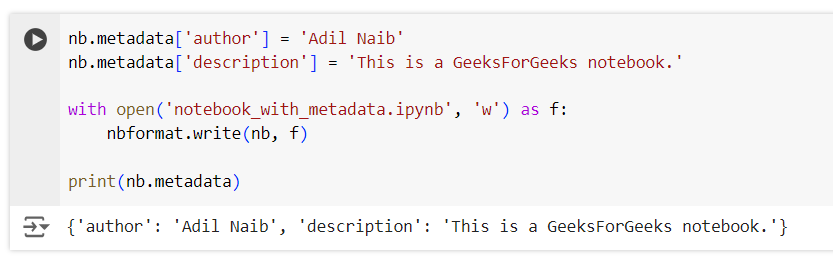
Adding metadata to a notebook helps us capture important details like the author, creation date, description, and custom tags. The `nbformat` library provides an easy way to incorporate this information into the notebook, making it more informative and organized.
In this example,
Output:
NBFormat has a validation feature that allows us to check if a notebook is in a expected structure and format. This is mainly useful when we are working with multiple notebooks and need to check the quality and structure of the notebook.
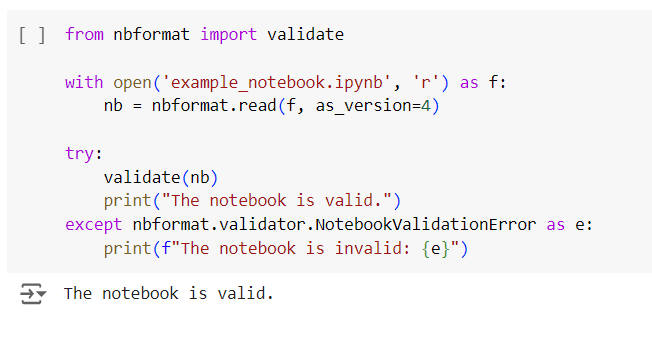
In this example, we will validate a Jupyter notebook using the `nbformat` library to ensure it conforms to the required structure.
To implement this functionality we will first open and read the `example_notebook.ipynb` file using `nbformat.read()`, specifying version 4 of the notebook format. We will then use the `validate()` function to check the validity of the notebook.
If the notebook is valid, we will print the message "Notebook is valid." If the notebook fails validation, a `NotebookValidationError` will be raised, and we will catch this exception to print an error message detailing the issue, indicating that the notebook is invalid.
Output:
The nbformat Python library is a robust and essential tool for programmatically manipulating Jupyter Notebooks. Throughout this article, we explored the various functionalities of the nbformat library, including creating new notebooks, reading existing ones, modifying notebook cells, adding metadata, and validating notebooks. Each of these features can significantly enhance the efficiency of working with Jupyter Notebooks, whether we're automating repetitive tasks, batch processing multiple notebooks, or integrating notebook functionality into larger applications.