VOOZH about

URL: https://www.geeksforgeeks.org/python/matplotlib-pyplot-text-function-in-python/

⇱ Matplotlib.pyplot.text() function in Python - GeeksforGeeks


  • Courses
  • Tutorials
  • Interview Prep

Matplotlib.pyplot.text() function in Python

Last Updated : 18 Aug, 2025

matplotlib.pyplot.text() function in Python is used to add text to the axes at a specific location (x, y) in data coordinates. It is commonly used to annotate plots with labels, notes or mathematical equations.

Syntax:

matplotlib.pyplot.text(x, y, s, fontdict=None, **kwargs)

Parameters:

ParameterDescription
x, y:floatThe position to place the text. By default, this is in data coordinates. The coordinate system can be changed using the transform parameter.
s :strThe text.
fontdict : dict default noneA dictionary to override the default text properties. If fontdict is None, the defaults are determined by rcParams.
**kwargsText properties.

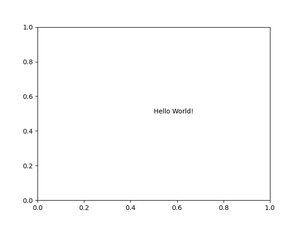
Example 1: Text on plot sheet

Output: 

👁 Image

Explanation:

  • (0.5, 0.5): Position of the text (center of the default axes).
  • "Hello World!": The text displayed.
  • fontsize=14, color="blue": Custom text properties.
  • ha='center', va='center': Aligns text at its center relative to (x, y).

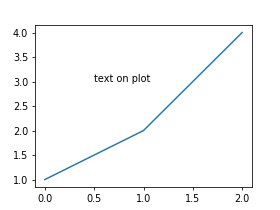
Example 2: Add text to a plot

Output:

👁 Image

Explanation:

  • plt.plot(x) : Plots a green line with points [1, 2, 4].
  • plt.text(x_pos, y_pos, "Text on plot", ...): Places red text at (0.5, 3).
  • ha='left', va='bottom': Aligns the text relative to the given coordinates.
  • rotation=10: Slightly tilts the text.
Comment