VOOZH about

URL: https://www.geeksforgeeks.org/python/networkx-python-software-package-study-complex-networks/

⇱ NetworkX : Python software package for study of complex networks - GeeksforGeeks


  • Courses
  • Tutorials
  • Interview Prep

NetworkX : Python software package for study of complex networks

Last Updated : 11 Aug, 2025

NetworkX is a Python library for creating, analyzing and visualizing complex networks. It models real-world systems as graphs, where nodes represent entities and edges represent relationships. The library supports loading, storing and generating various types of graphs, analyzing network structures, designing algorithms and drawing networks with ease and flexibility.

Installation

To install the latest version of NetworkX, simply run:

pip install networkx

Creating Graphs

NetworkX supports several types of graphs:

  • Graph(): undirected graph
  • DiGraph(): directed graph
  • MultiGraph(): undirected graph with parallel edges
  • MultiDiGraph(): directed graph with parallel edges

Let’s begin with a basic undirected graph:

Adding Nodes

You can add nodes one at a time or in batches:

Output:

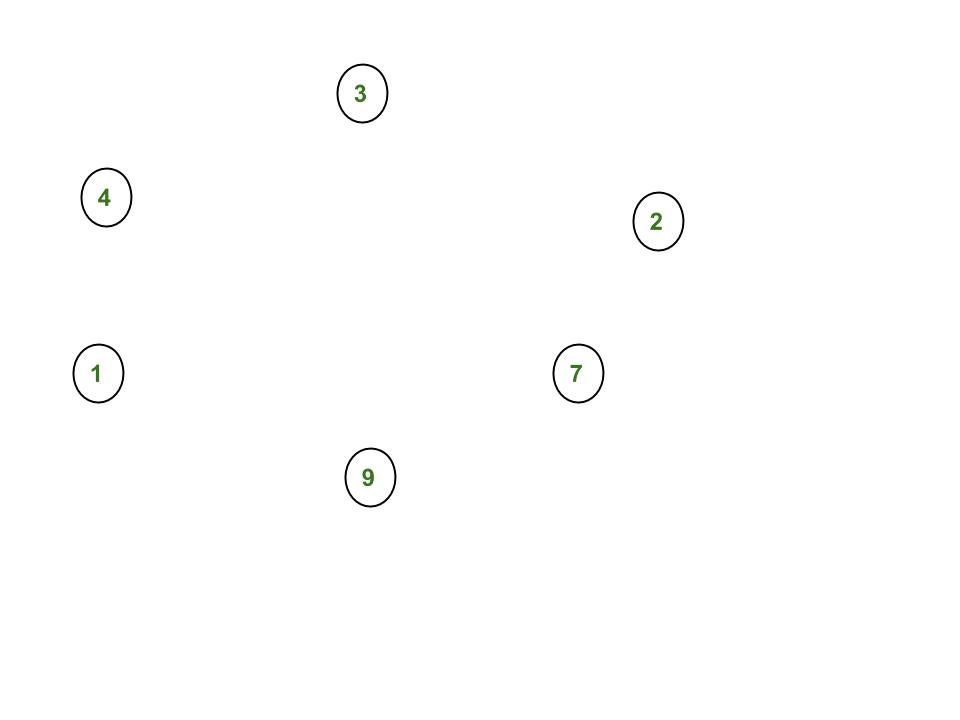
πŸ‘ Creating Nodes

After this step, your graph G has 6 nodes.

Adding Edges

Edges connect the nodes in your graph:

Output:

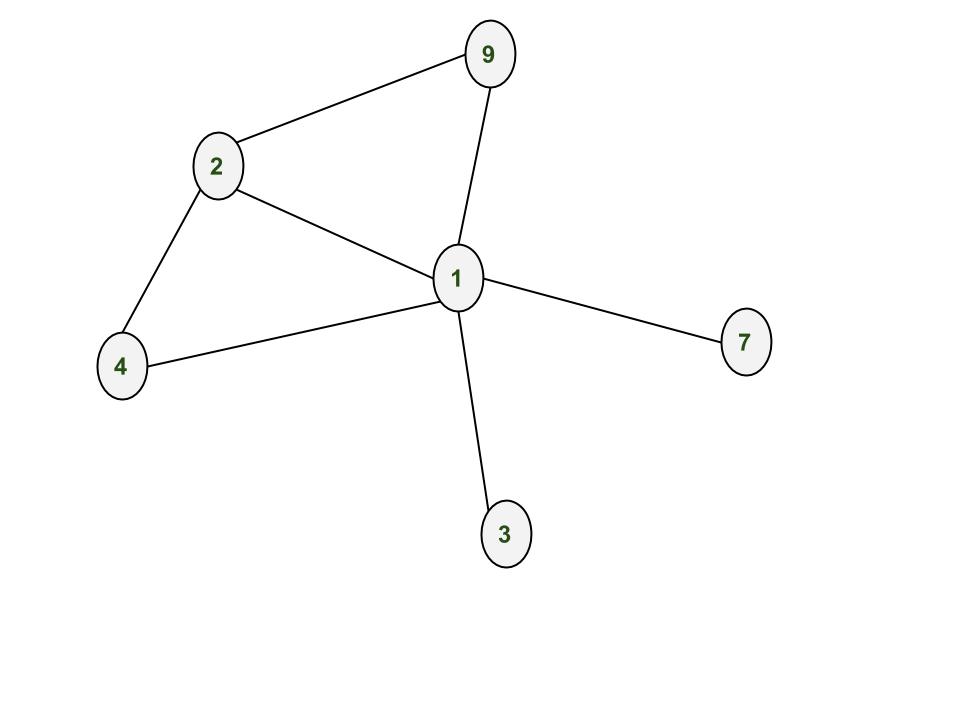
πŸ‘ Creating Edges

Note: Since it's an undirected graph, the edge (1, 2) is the same as (2, 1).

Removing Nodes and Edges

You can remove nodes and edges just as easily:

Output:

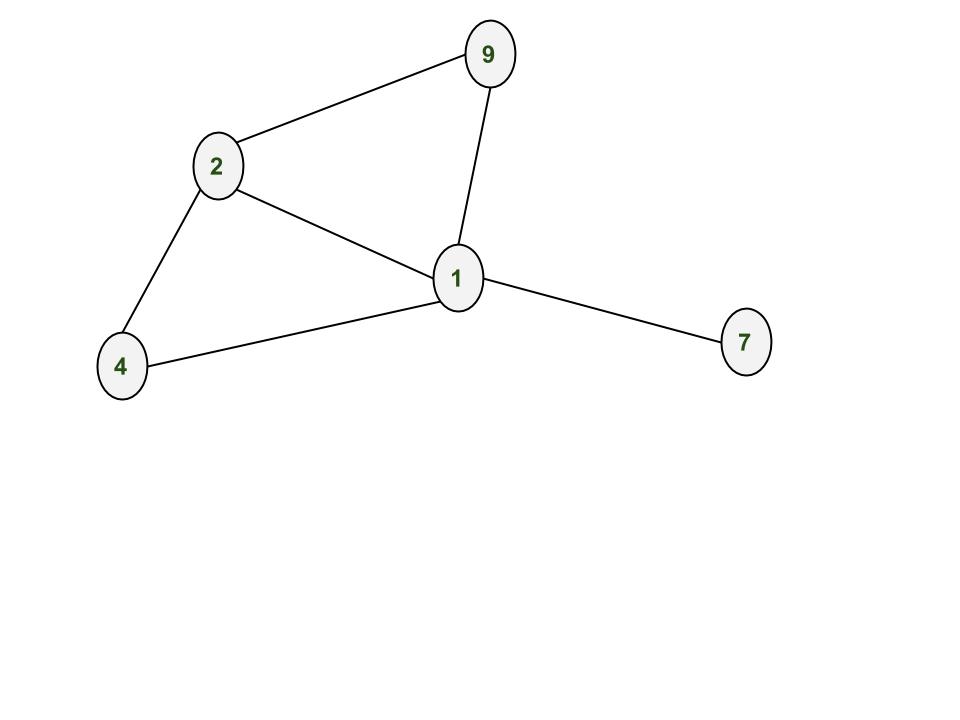
πŸ‘ Removing Nodes and Edge

Network Analysis with NetworkX

NetworkX allows you to perform deep analysis of your graph:

Output

[1, 2, 4, 7, 9]
[(1, 4), (1, 9), (1, 7), (2, 4), (2, 9)]
5
5
2
[4, 9]

Explanation:

  • G.nodes() returns a list of all nodes currently in the graph.
  • G.edges() gives a list of all the edges (i.e., node pairs that are connected).
  • G.number_of_nodes() returns the count of total nodes.
  • G.number_of_edges() returns the count of total connections.
  • G.degree(2) gives the number of connections the node 2 has (its degree).
  • list(G.neighbors(2)) lists all nodes that are directly connected to node 2.
Comment
Article Tags:
Article Tags: