|
VOOZH | about |
|
VOOZH | about |
In this article, we'll explore how to implement OTP verification in Django REST Framework using JWT and cryptography. We will guide you through the process of setting up your Django application to support OTP-based authentication, demonstrate how to integrate JWT for secure token management and show how cryptographic techniques can enhance the overall security of your authentication.
You can check this article to learn how to create a basic API using DRF.
Create a virtual environment, and Install Required Packages
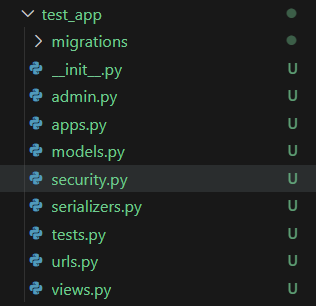
pip install django djangorestframework cryptography django-environ pyjwtApp structure
Now, there's some additional setup required. We need to configure Rest Framework, JWT authentication, and Email settings. The code is used to configure JWT settings and also the configuration of email functionality. Paste the above code and don't forget to put your own email address and password. A good practice will be to put them in the .env file and load them using the Django-environ package.
Now, in the views.py file, we will create a view to handle the logic of the forgot password. In this view, we will take user's email address and send an OTP in user's mail. So let's create a serializer to take email of the user.
In the views.py, add the logic to process the user's email, create a token and send token on the mail.
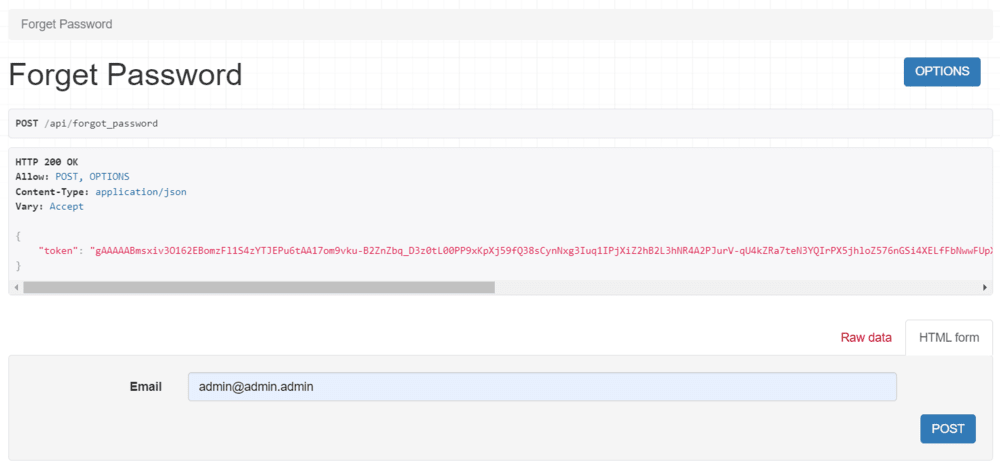
Here, we will first get the email entered by the user and check in the User model if our user already exists. If not, then it will throw an exception. If yes, then we will create a random number using the random module. Then we will create a payload which will be a dictionary and we will pass it to the create token function. The payload contains the user id, user email, otp itself and the expiry. After successfully getting the token, we will send the otp to the user’s email and then send a json response containing the token to the frontend again.
We have used a create_token() function but we have not implemented it yet. We will add the encryption logic of user's detail in this function. The function will take the payload, encrypt the data and returns a token.
Add an url endpoint for the view:
Let's now add the logic of create_token and decrypt_token methods. Create a file called security.py file and add the given code:
In the create_token() method, we have used the cryptogrophy module as well as the pyjwt module for creating an enhanced and secured feature for otp verification.
Now lets understand the functionality.
To verify the otp, we will write a separate route named 'CheckOTPView'. In this view, we will take otp and token from the user. Let's create a serializer for the same in your serializers.py file.
Now, add the logic for otp verification in your views.py file.
Urls.py: Now, add the url route for this view.
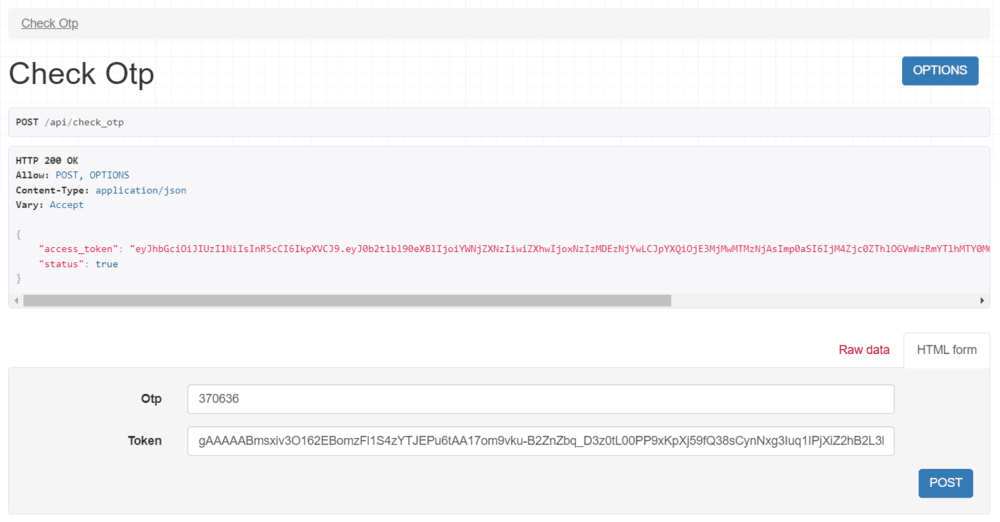
In the above code, we have taken the token and otp from the user. Upon successful verification, we are sending access token, else an error response.
The frontend application will save the encrypted token in the local_storage or in use state and whenever the user enters the otp it will send a HTTP POST request to the server and it will include the encrypted token and the otp entered by the user.
Output: