|
VOOZH | about |
|
VOOZH | about |
In this article, we will see how to import and initialize PyGame.
The best way to install pygame is with the pip tool, we can install pygame by using the below command:
pip install pygame
To import the pygame library, make sure you have installed pygame already. Open the terminal or the IDE which you want to work upon and import this library to check whether pygame is installed or not by using the command given below:
import pygame
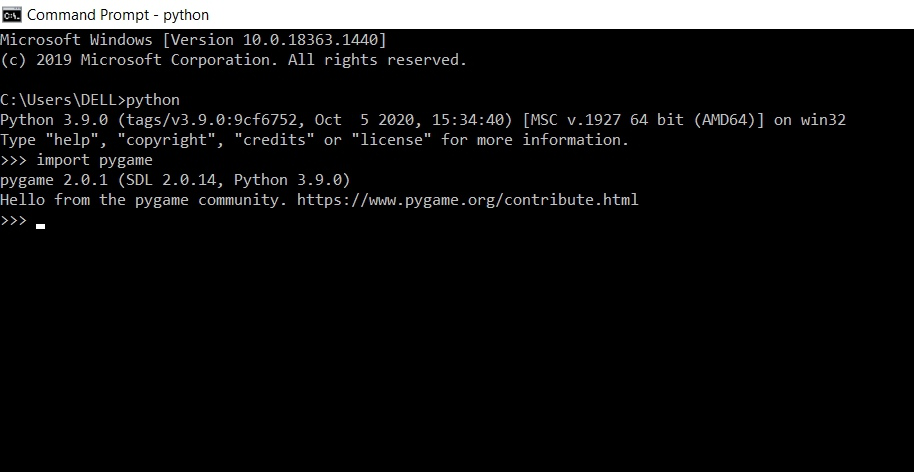
This library imports all the available pygame modules into the pygame package.The below image how to perform it with the help of a command prompt. If you don't find any error and get the message as shown in the image means the pygame library is imported successfully, and now you are good to proceed.
👁 ImageBefore we can do much with pygame, we first need to initialize it. Just call the method given below to initialize it.
pygame.init()
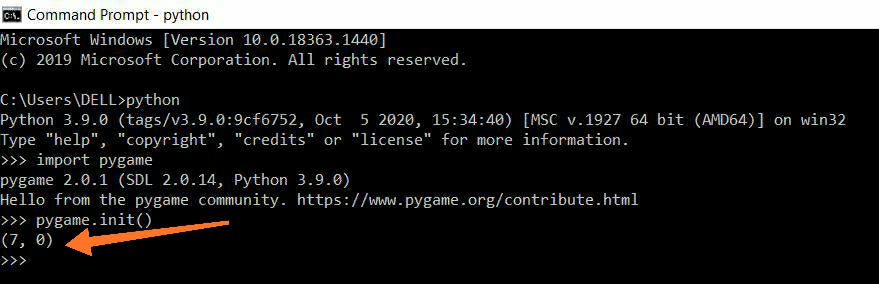
This method initializes all the necessary pygame modules. This method has nothing like an argument and returns a tuple that returns the no of modules initialized successfully and the number of modules failed respectively.
👁 ImageAs you can see in the image pygame.init() method returns a tuple (7,0) which means 7 modules are initialized successfully and 0 is failed to initialize.
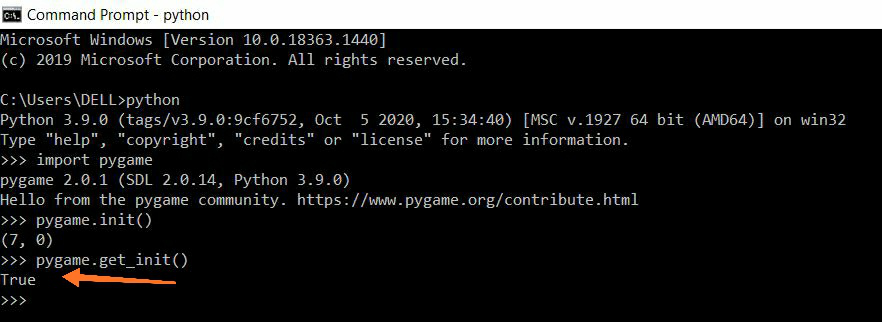
There is a method named pygame.get_init() which shows whether all the pygame modules are initialized successfully or not. If all the modules are initialized successfully, this method returns true.
👁 Image