|
VOOZH | about |
|
VOOZH | about |
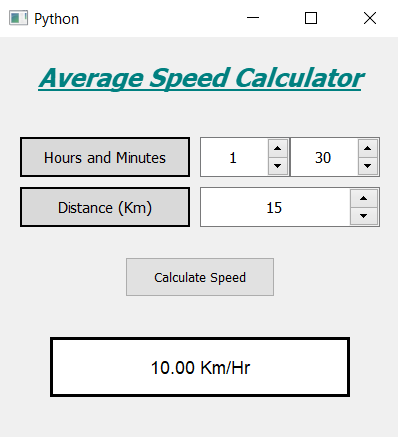
In this article we will see how we can create a average speed calculator using PyQt5. The average speed of an object is the total distance traveled by the object divided by the elapsed time to cover that distance, below is how the average speed calculator will look like 👁 Image
Concept : We will get the time in the form of hours and minutes, and distance in the form of kilometers, when user will press calculate button we will first check if invalid entry is given or not, if entries are correct then we will convert the hours and minutes into hours and calculate the speed and show the speed on the screen.
GUI Implementation Steps :
1. Create a heading label that display the calculator name
2. Create label to show user to set the hours and minutes
3. Create two QSpinBox object to get the hours and minutes
4. Create another label to show user to set distance, and corresponding to the label create a QSpinBox to get the distance
5. Create a push button to calculate the average speed
6. Create a label to show the calculated speedBack-End Implementation :
1. Set the maximum value of minutes spin box as 60 and increase the maximum value of distance spin box
2. Add action to the push button
3. Inside the push button action get the hours, minutes and the distance from the spin boxes
4. Check if distance or time value is zero then return the function so that action stop executing further
5. Convert the hours and minutes into hours and calculate the speed using this time
6. Show the speed on the screen with the help of label
Below is the implementation
Output :