|
VOOZH | about |
|
VOOZH | about |
In PyQt5, QListWidget is a convenience class that provides a list view with a classic item-based interface for adding and removing items. QListWidget uses an internal model to manage each QListWidgetItem in the list. Syntax:
listWidget = QListWidget()
There are two ways to add items to the list.
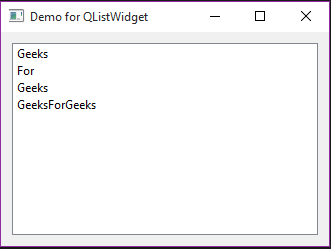
QListWidgetItem("Geeks", listWidget)
QListWidgetItem("For", listWidget)
QListWidgetItem("Geeks", listWidget)listWidgetItem = QListWidgetItem("GeeksForGeeks")
listWidget.addItem(listWidgetItem)
Some of the most frequently used methods in QListWidget:
addItem() : To add QListWidgetItem object in list
addItems() : To add multiple QListWidgetItem objects
insertItem() : It adds item at specified position
clear() : To delete all the items present in the list
count() : To count number of items present in the list
Below is the code -
Output : 👁 Image