|
VOOZH | about |
|
VOOZH | about |
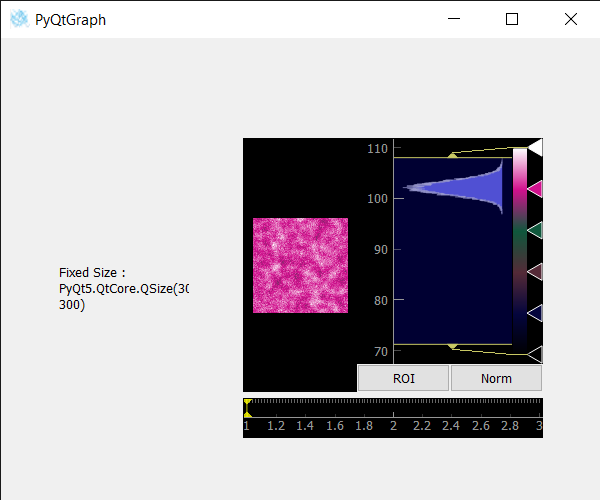
In this article, we will see how we can get the fixed size of image view in PyQTGraph. PyQtGraph is a graphics and user interface library for Python that provides functionality commonly required in designing and science applications. Its primary goals are to provide fast, interactive graphics for displaying data (plots, video, etc.). Widget used for display and analysis of image data. Implements many features like displaying 2D and 3D image data. For 3D data, a z-axis slider is displayed allowing the user to select which frame is displayed. Displays histogram of image data with a movable region defining the dark/light levels, editable gradient provides a color lookup table. Fixed-size is the fixed size which can not be decreased or increased by default it is not set to the image view. It can be set with the help of setFixedSizemethod.
We can create an image view with the help of the command given below
# creating a pyqtgraph image view object
imv = pg.ImageView()
Syntax: ImageView(parent=None, name='ImageView', view=None, imageItem=None, levelMode='mono', *args)
Parameters:
- parent (QWidget): Specifies the parent widget to which this ImageView will belong. If None, then the ImageView is created with no parent.
- name (str): The name used to register both the internal ViewBox and the PlotItem used to display ROI data.
- view (ViewBox or PlotItem): If specified, this will be used as the display area that contains the displayed image.
- imageItem (ImageItem): If specified, this object will be used to display the image. Must be an instance of ImageItem or other compatible object.
- levelMode: specifies the *levelMode* argument
Returns: Object of class ImageView
In order to do this we use size() method with the image view object
Syntax : imv.size()
Argument : It takes non argument
Return : It returns QSize object
Below is the implementation
Output :