|
VOOZH | about |
|
VOOZH | about |
Prerequisites :Introduction to tkinter
Python offers multiple options for developing a GUI (Graphical User Interface). Out of all the GUI methods, Tkinter is the most commonly used method. It is a standard Python interface to the Tk GUI toolkit shipped with Python. Python with Tkinter outputs the fastest and easiest way to create GUI applications. Now, it’s up to the imagination or necessity of a developer, what he/she wants to develop using this toolkit.
To create a Tkinter :
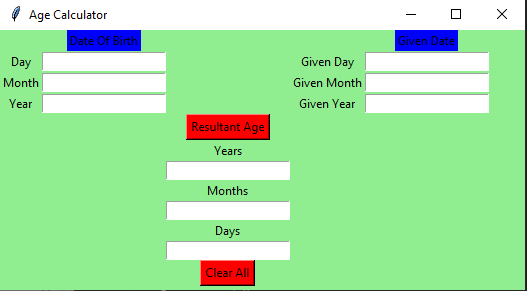
The GUI would look like below:
👁 Image
Let’s create a GUI based simple Age Calculator application that can calculate the age with respect to the given date and birth date, given by the user.
Below is the implementation :
Output :