Approach : The approach we would be used to detect the shape of a given polygon will be based on classifying the detected shape on the basis of a number of sides it has. For example, if the detected polynomial has 3 sides, then it could be considered as a triangle, if the polynomial has 4 sides then it could be classified as a square or a rectangle.
Prerequisite :
- Make sure you have Python3, OpenCV, numpy already installed on your computer.
- Basic knowledge about OpenCV would be helpful - Basics of OpenCV
- Make sure to save the image in which shapes is to be detected in your local directory
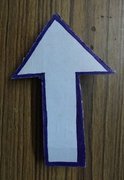
Implementation : In the following code, we will be detecting an arrow-shaped object from the image 'arrow.jpg'. The shape will be detected on the basis of the number of sides it has
Code: Python program to detect polygons in an image
Note : The parameter '110' in threshold could be adjusted as per need if the object is of different colour and is based on trial and error.
Result :
Image with arrow
👁 Arrow
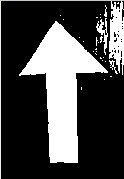
Binary Image
👁 Binary Image
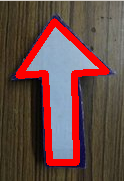
Outlined Arrow
👁 Outlined Arrow