|
VOOZH | about |
|
VOOZH | about |
Tkinter is a built-in Python module used for building desktop GUI applications. It's simple, powerful, and doesn’t require any external installation. Tkinter provides many methods, one of them is the geometry() method and it is used to control the size and position of the GUI window.
The geometry() method sets:
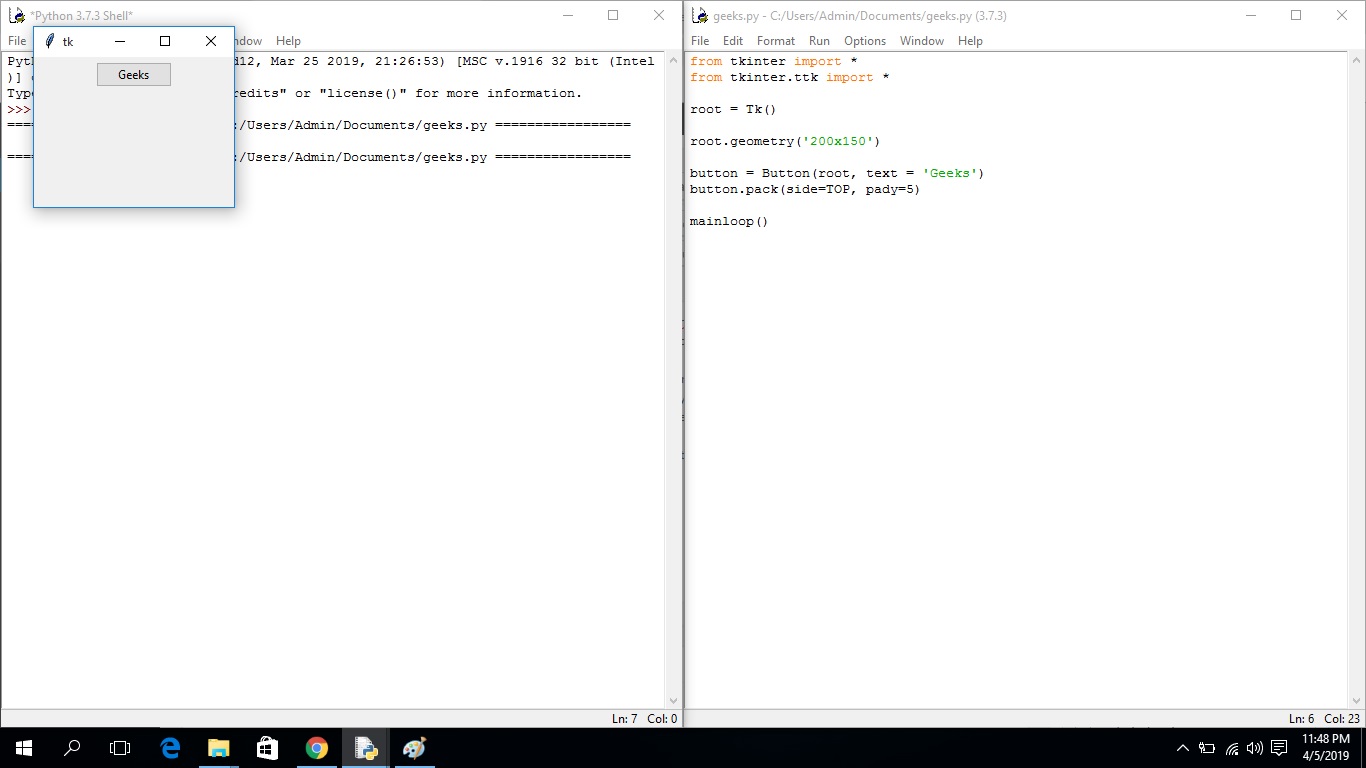
Use geometry() to fix the window’s width and height.
Output:
After running the application, you'll see that the size of the Tkinter window has changed, but the position on the screen is the same.
Explanation:
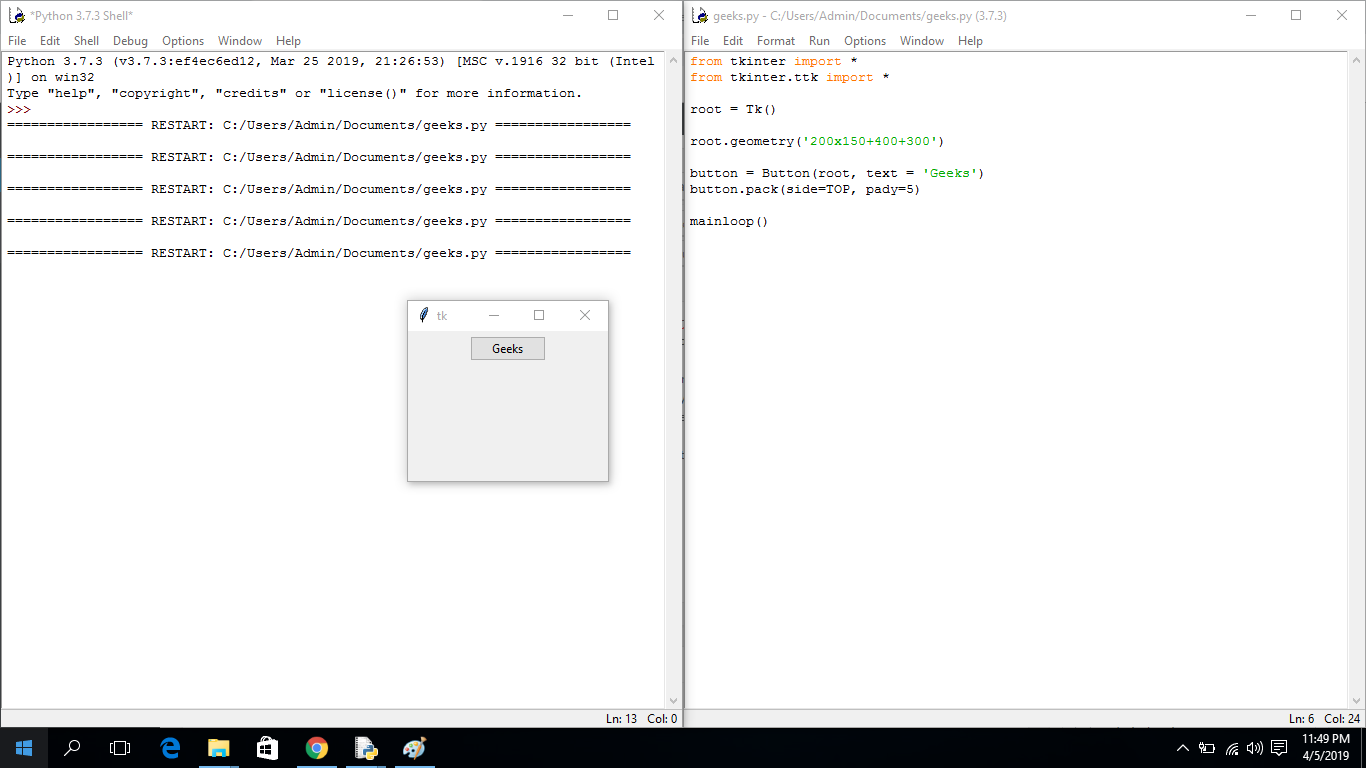
We can also set both size and on-screen position using offsets.
Output:
When you run the application, you'll observe that the position and size both are changed. Now the Tkinter window is appearing at a different position (400 shifted on X-axis and 300 shifted on Y-axis).
Explanation:
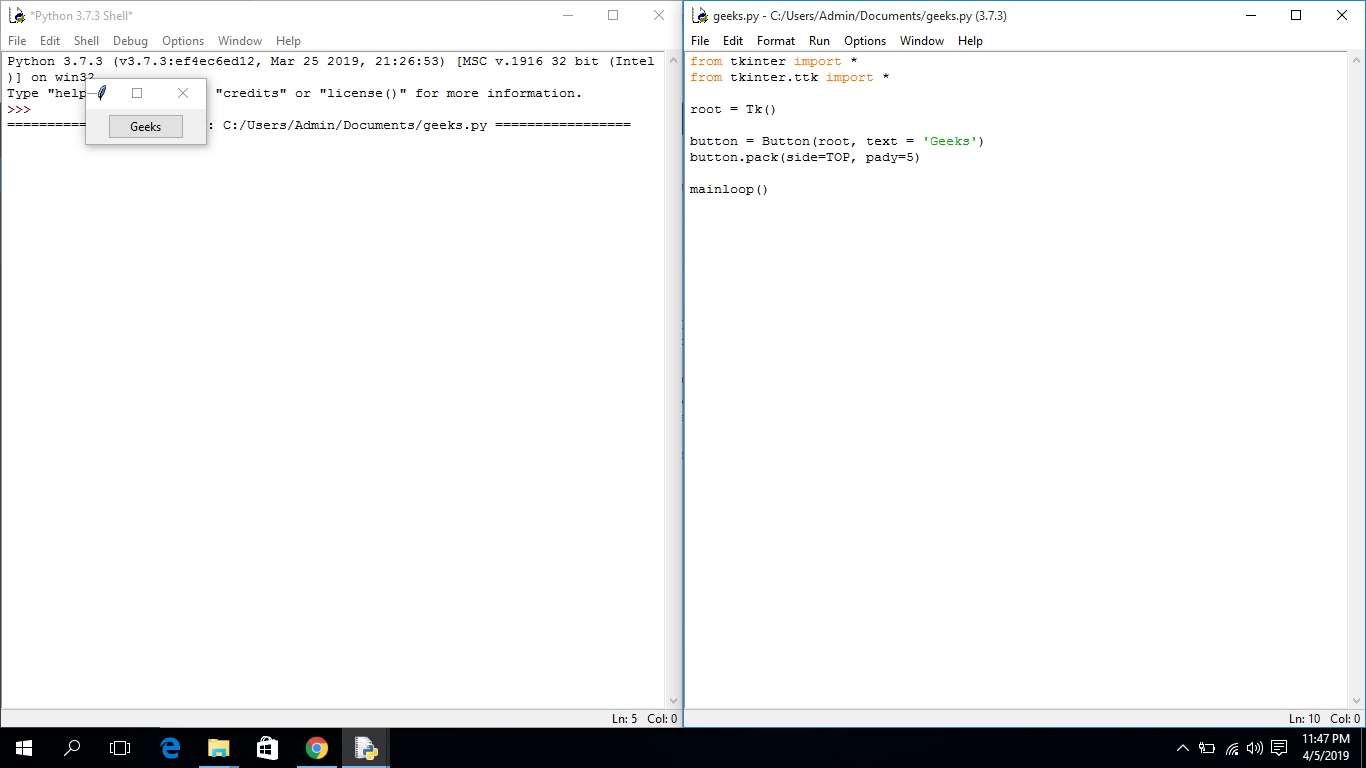
By default, the window appears in the top-left (northwest) corner with an automatic size.
Output:
As soon as we run the application, we'll see the position of the Tkinter window is at the northwest position of the screen and the size of the window is also small as shown in the output below.
Explanation:
Note: We can also pass a variable argument in the geometry method, but it should be in the form (variable1) x (variable2); otherwise, it will raise an error.
Related articles: