|
VOOZH | about |
|
VOOZH | about |
The number of fatalities on the road due to drowsiness is very high. Thus python allows the model of deep learning algorithm via including the use of OpenCV. Drowsiness Detection is the detection of a person to check whether the person is feeling sleepy while performing a significant task. This detection has many applications in medical and safety fields. This detection can be quickly done using "shape predictor face landmarks" that mark the essential landmarks on the face.
Thus python also provides the flexibility for detecting such serious and significant detection via OpenCV modules. One can easily make their own phone camera for detecting drowsiness with the below-provided code in python.
1. Installing and importing all the modules needed for the code.
1. pip install numpy
2. pip install opencv-python
3. pip install time
4. pip install pyttsx3
5. pip install dlib
6. pip install scipy
7. Click and Download shape_predictor_68_face_landmarks1
2. Access the camera and mark the landmarks from the (.dat) file to predict the location of the ear and eyes.
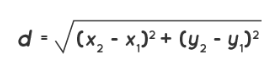
3. Using the Euclidean distance function to calculate the distance between landmarks on the opposite sides of the eyes. This function requires two points in a plane to calculate the distance.
Euclidean distance formula:
4. Mark the eye points in a face so that it will be really easy for the user to get the detection.
5. Calculate the aspect ratio for the left and right eyes and set the criteria for the closing of eyes (drowsiness detection).
Import Modules and libraries:
import cv2
import dlib
import pyttsx3
from scipy.spatial import distance
Face landmark mapping points:
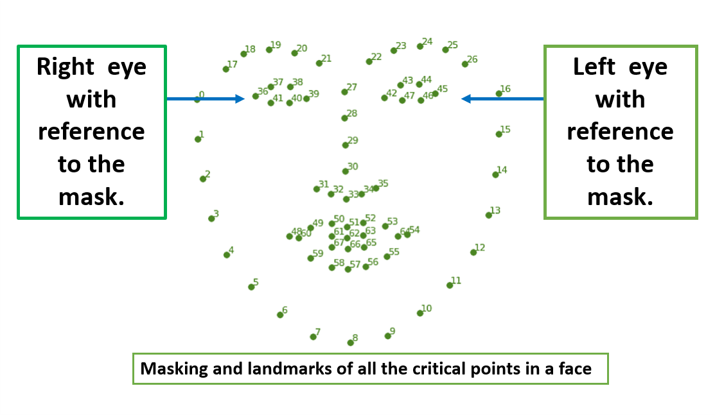
Here, the image below shows all the masking and landmarks numerically-wise of all the critical points in a normal face with the reference of the right and left eye accordingly.
Needed points in a face mask:
With reference to the above image, we are focusing on the right and the left eye and getting all the critical points connecting the eye.
Step 1: Import the required libraries and their functions. And accessing the camera of a device for detecting the face. Initializing the pyttsx3 for audio message alert.
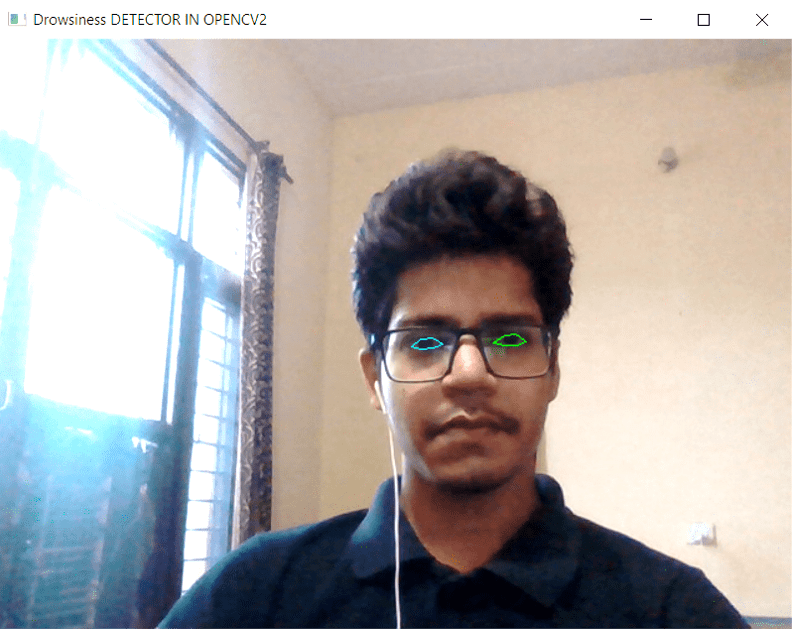
Output:
Access only the camera in the OpenCV.
Step 2: Face detection and calculating the aspect ratio as declared above in the Euclidean distance formula.
Output:
Note: Download the above "shape_predictor_68_face_landmarks1.dat" file in the same folder where your whole code is present. And copy the location of the file and paste the location as described in the code.
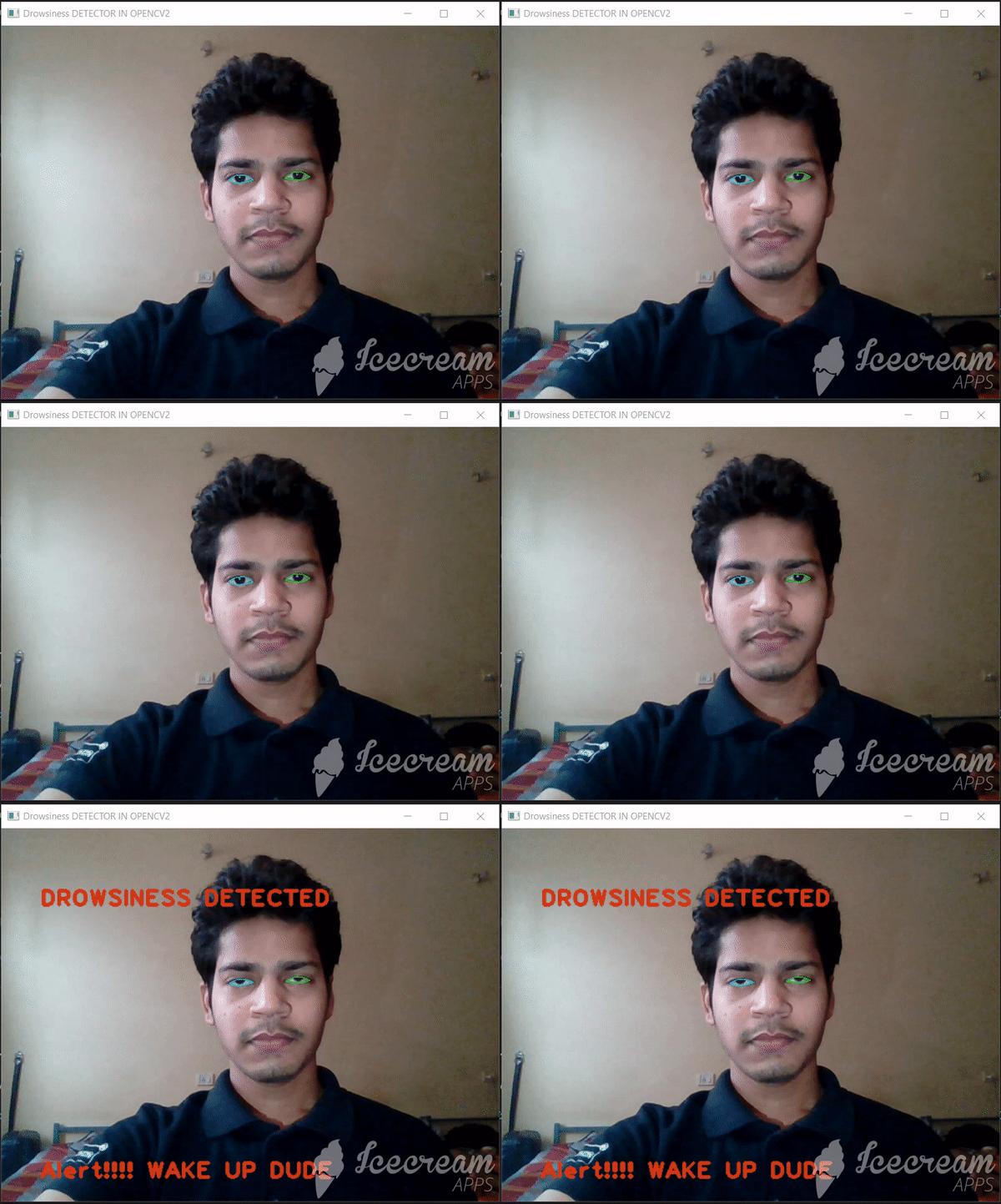
Step 3: Main loop for reading and storing the camera parameters and allocating the mask on the right and left eye. Describe the audio and text message for the user to alert them of drowsiness.
Final Output: