VOOZH about

URL: https://www.geeksforgeeks.org/python/python-program-to-convert-xml-to-dictionary/

⇱ Python program to convert XML to Dictionary - GeeksforGeeks


  • Courses
  • Tutorials
  • Interview Prep

Python program to convert XML to Dictionary

Last Updated : 23 Jul, 2025

In this article, we will discuss how to convert an XML to a dictionary using Python.

Modules Used

  • xmltodict: It is a Python module that makes working with XML feel like you are working with [JSON]. Run the following command in the terminal to install the module.

Syntax:

pip install xmltodict

  • pprint: The pprint module provides a capability to β€œpretty-print” arbitrary Python data structures in a well-formatted and more readable way.

Approach

  • Import necessary module to working space.
  • Open the XML File in Read-only mode and read the contents using file.read()and store it in a variable.

Syntax:

with open('filename', 'r', encoding='utf-8') as file:
my_xml = file.read()
  • Use xmltodict.parse() to parse the content from the variable and convert it into Dictionary.

Syntax : 

xmltodict.parse(xml_input, encoding='utf-8', expat=expat, process_namespaces=False, namespace_separator=':', **kwargs) 

Syntax : 

pprint.pprint(object, stream=None, indent=1, width=80, depth=None, *, compact=False, sort_dicts=True)

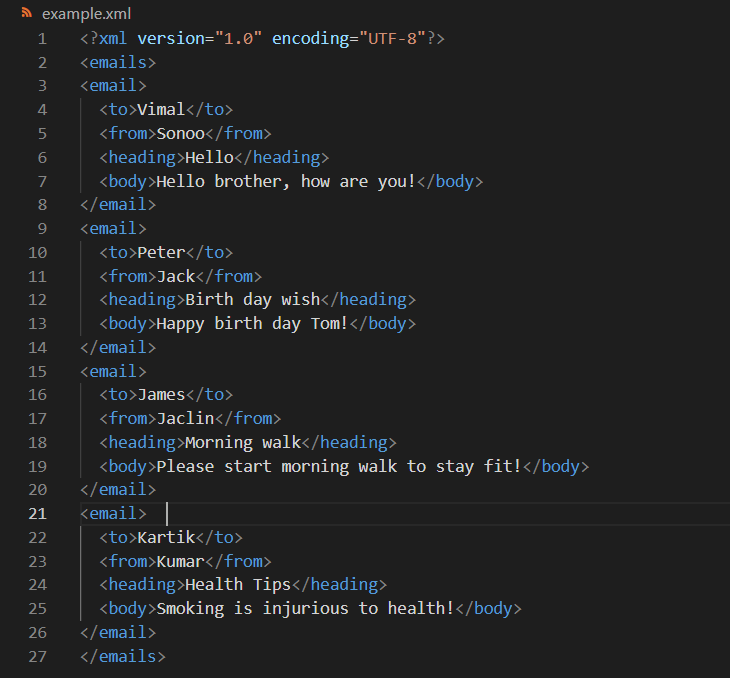
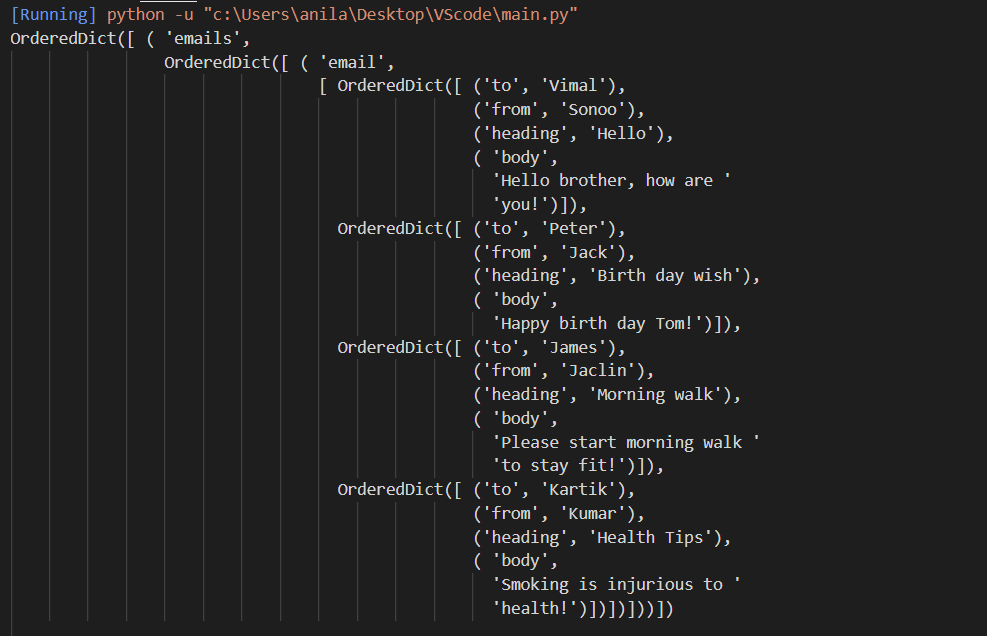
Example: Converting XML to dictionary

File Used:

πŸ‘ Image

Output:

πŸ‘ Image

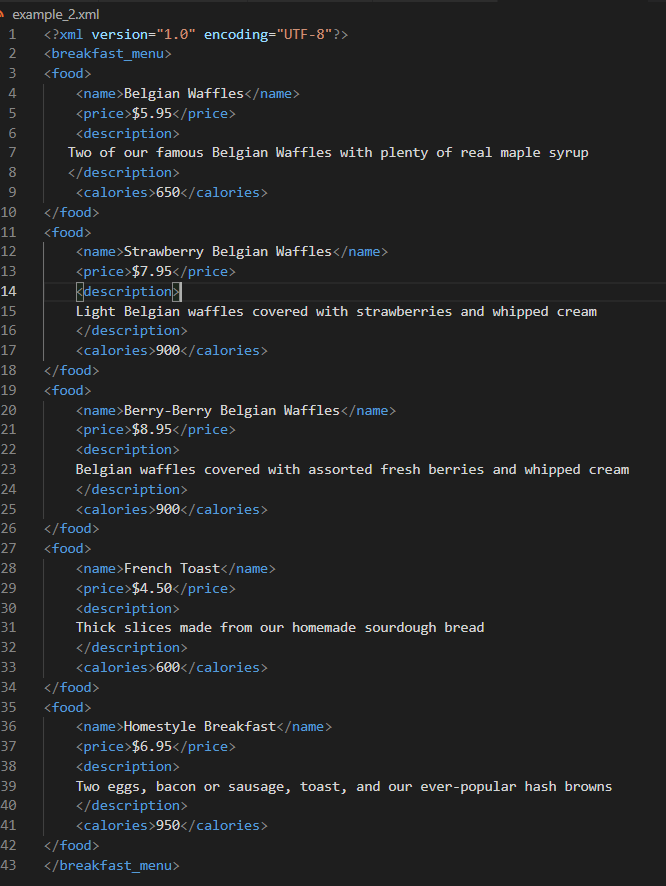
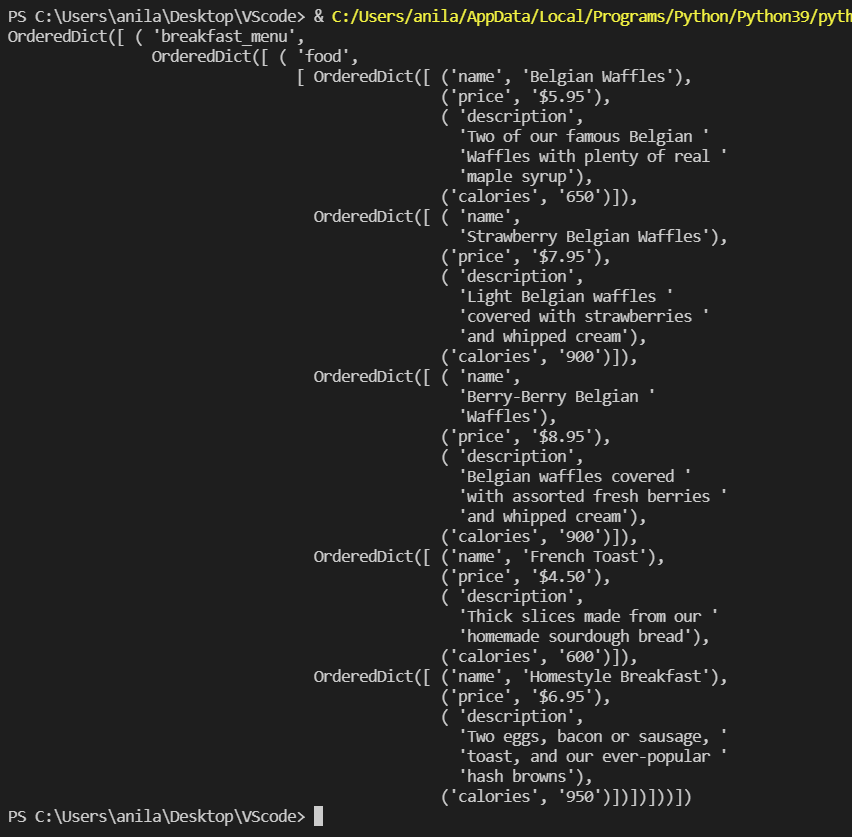
Example 2: Converting XML to dictionary

File Used:

πŸ‘ Image
Comment