|
VOOZH | about |
|
VOOZH | about |
The pytz module brings the Olson timezone database into Python and enables accurate and timezone-aware datetime operations. It is especially useful in applications that serve a global user base, allowing you to convert and manipulate datetimes across different time zones reliably.
You can install the pytz module using any of the following methods:
pip install pytz
python setup.py install
easy_install --upgrade pytz
The astimezone() function is used to convert a timezone-aware datetime object from one timezone to another.
Syntax:
datetime_obj.astimezone(target_timezone)
Example:
2025-05-09 10:15:40 UTC+0000
2025-05-09 15:45:40 IST+0530
Explanation:
There are some attributes in pytz module to help us find the supported timezone strings. These attributes will help understand this module better.
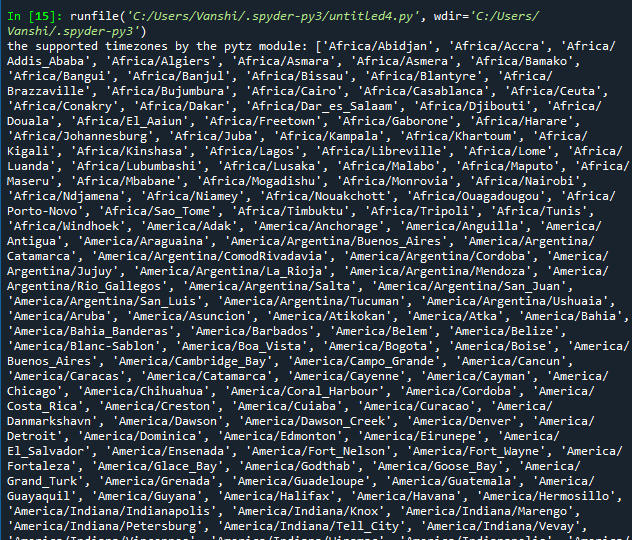
It returns the list all the available timezones with pytz.all_timezones:
Output:
Explanation: This code imports the pytz module and prints all the supported timezones using pytz.all_timezones, which returns a list of timezone names available in the module.
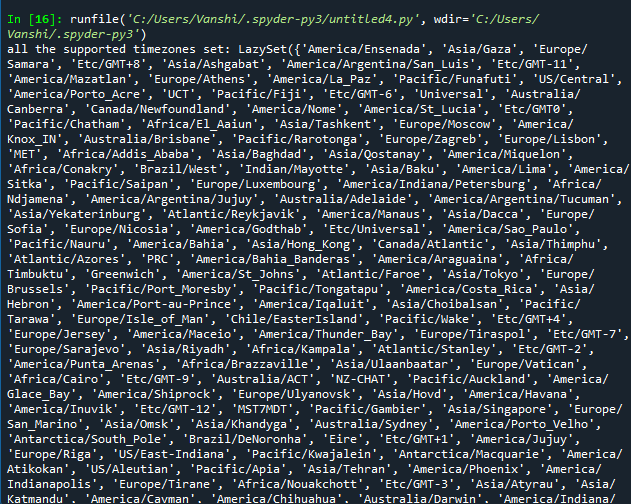
It returns the set of all the available timezones with pytz.all_timezones_set:
Output
Explanation: This code prints all the supported timezones as a set using pytz.all_timezones_set, which provides the same timezones as all_timezones but in an unordered, unique set format.
It returns the list and set of commonly used timezones with pytz.common_timezones, pytz.common_timezones_set.
Output
Explanation:
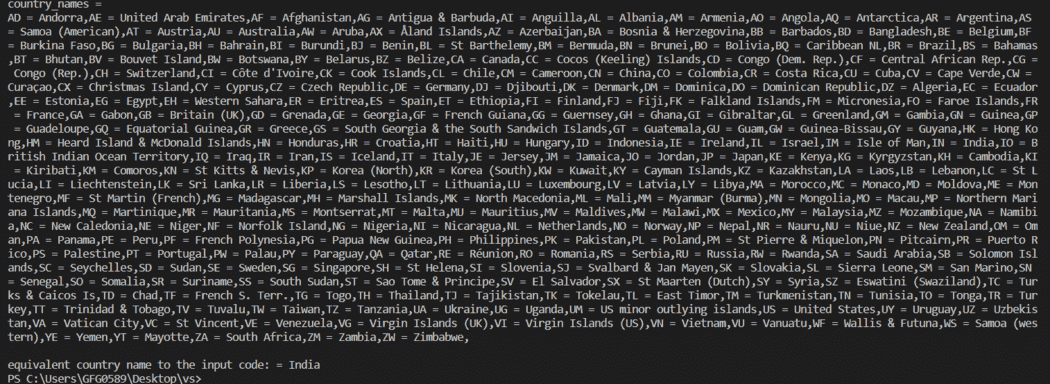
It returns a dict of country ISO Alpha-2 Code and country name as a key-value pair.
Output
Explanation: This code prints a dictionary of country ISO codes and their country names using pytz.country_names. It also retrieves the country name for the code 'IN', which corresponds to India.
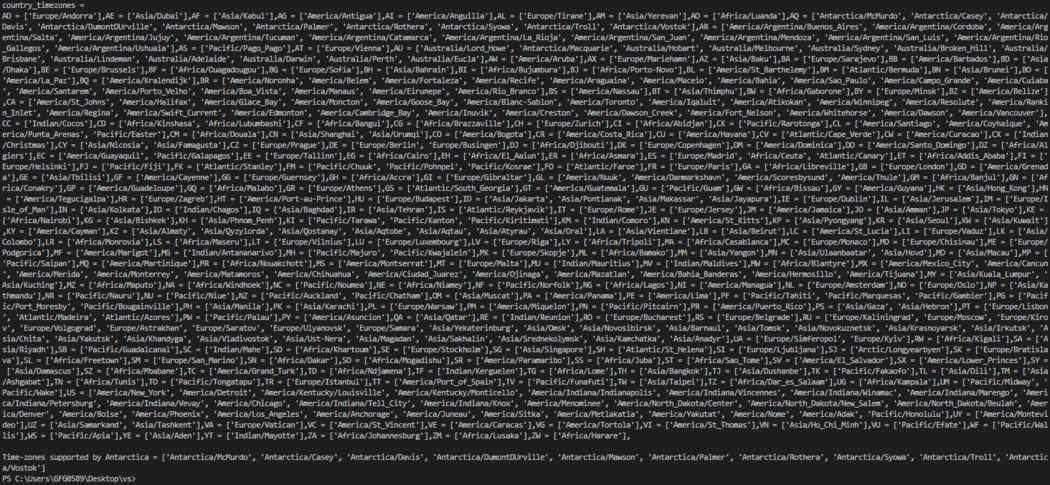
It returns a dictionary of country ISO Alpha-2 Code as key and list of supported time-zones for a particular input key (country code) as value
Output
Explanation:
Example 1: creating datetime instance with timezone information
This code demonstrates how to get the current time in different timezones using the pytz module in Python.
UTC Time = 2025-05-09 10:57:48.768744+00:00
IST Time = 2025-05-09 13:57:48.768794+03:00
Explanation:
Example 2: Formatting Datetime
This code shows how to format a datetime object into human-readable and ISO 8601 string formats using Python's datetime module.
January 10, 1984
1984-01-10T23:30:00
Explanation:
The localize() function is used to assign a timezone to a naive datetime object. This is crucial when you receive a datetime input without timezone info and need to assign one correctly.
Example1:
IST Current Time = 2025-05-09 11:01:04 IST+0530
Wrong UTC Current Time = 2025-05-09 11:01:04 UTC+0000
Explanation:
Example2:
2019-08-19 12:00:00+00:00
Explanation: