Your API documentation and specification capabilities can be substantially improved by using Python's FastAPI with Swagger annotations. This comprehensive tutorial covers all the bases, from introduction to execution.
In the context of Python, Swagger annotations are often used in combination with frameworks like Flask or Django to automatically generate API documentation. Here’s a breakdown of some common Swagger annotations and their purposes:
Common Swagger Annotations
- @swagger.operation: Defines a single operation on an API path.
- @swagger.doc: Provides detailed documentation for the API operation.
- @swagger.parameters: Describes the parameters required for the API operation.
- @swagger.responses: Describes the possible responses returned by the API operation.
- @swagger.security: Defines security requirements for the API operation.
How These Annotations Work
- Docstrings: The docstrings (triple-quoted strings) are used to describe the purpose of the method. When processed by tools like Flask-Swagger, these strings are parsed to generate the API documentation.
- Swagger Specific Annotations: Within these docstrings, we use the
--- separator followed by YAML syntax to specify Swagger-specific metadata such as tags, parameters, and responses.
Example of Swagger Annotations in Python
Here’s an example using Flask and the Flask-RESTful extension to demonstrate how Swagger annotations can be applied:
Import Library
from flask import Flask, jsonify, request
from flask_restful import Api, Resource
from flask_swagger import swagger
Creating app and defining data
Integrating Swagger for API Documentation
To integrate Swagger with Flask, we need to use Swagger annotations to document our API.
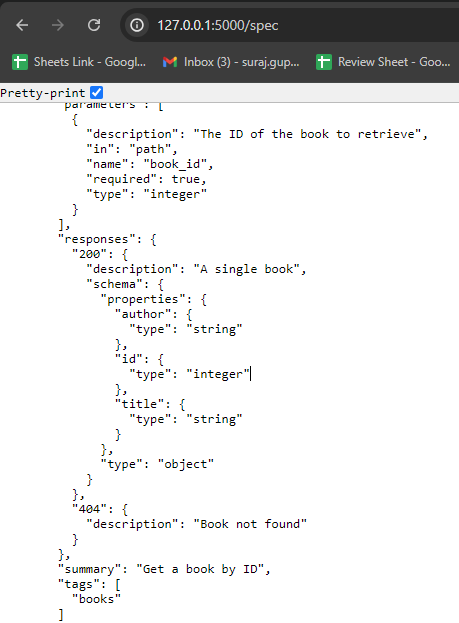
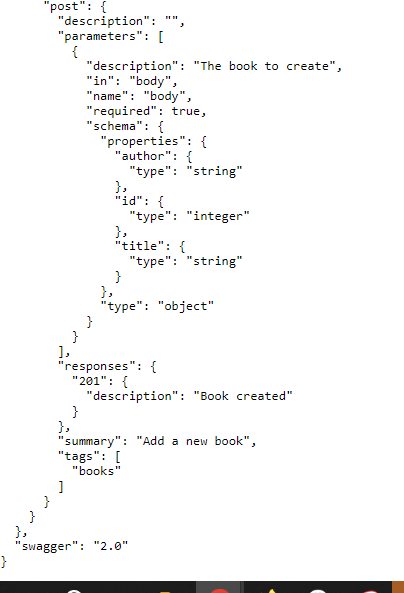
- This annotation categorizes the endpoints under the "books" tag.
- This section describes the parameters for the endpoint. In the get method, book_id is a path parameter required to fetch a specific book.
- This annotation describes the possible responses from the endpoint. For a successful operation (HTTP 200), it returns a book object. If the book is not found, it returns a 404 error with a relevant description.
Complete Code