Tkinter is a GUI toolkit used in python to make user-friendly GUIs.Tkinter is the most commonly used and the most basic GUI framework available in python. Tkinter uses an object-oriented approach to make GUIs.
Note: For more information, refer to
Python GUI – tkinter
Scale widget
The Scale widget is used whenever we want to select a specific value from a range of values. It provides a sliding bar through which we can select the values by sliding from left to right or top to bottom depending upon the orientation of our sliding bar.
Syntax:
S = Scale(root, bg, fg, bd, command, orient, from_, to, ..)
Optional parameters
- root - root window.
- bg - background colour
- fg - foreground colour
- bd - border
- orient - orientation(vertical or horizontal)
- from_ - starting value
- to - ending value
- troughcolor - set colour for trough.
- state - decides if the widget will be responsive or unresponsive.
- sliderlength - decides the length of the slider.
- label - to display label in the widget.
- highlightbackground - the colour of the focus when widget is not focused.
- cursor - The cursor on the widget which could be arrow, circle, dot etc.
Methods
- set(value) - set the value for scale.
- get() - get the value of scale.
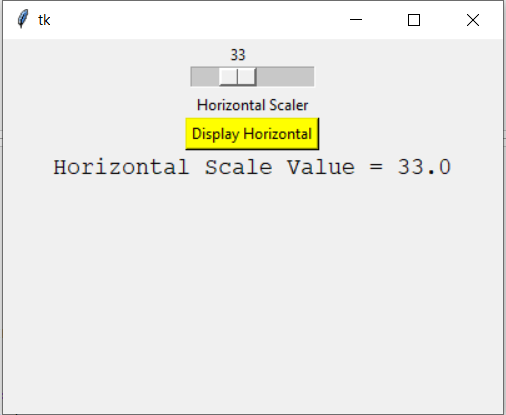
Example 1: Creating a horizontal bar
Output:
👁 python-tkinter-scale
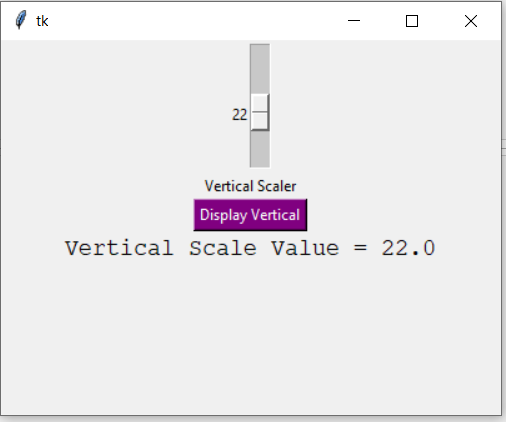
Example 2: Creating a vertical slider