|
VOOZH | about |
|
VOOZH | about |
Tkinter provides numerous of universal widget methods or basic widget methods which works almost with all the available widgets.
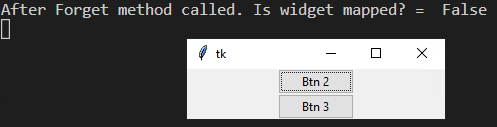
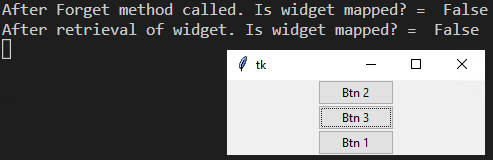
This method is used to check whether the specified widget is visible or not. However, in this example, right after packing the widget back, the winfo_ismapped() method still returns the widget to be not mapped (false). Only after you clicked the button the second consecutive time it will update to be mapped (True).
Syntax: widget.winfo_ismapped()
Return Value: Returns True if widget is visible (or mapped), otherwise returns False.
Exception: If widget is destroyed, then it throws error.
Output:
After first Btn 2 Press:
After First Btn 3 Press:
After Second Btn 3 Press:
This method is used to check if the specified widget exists or not i.e if the widget is destroyed or not.
Syntax: widget.winfo_exists()
Return value: Returns True if widget exists, False otherwise.
Output:
👁 winfo_ismapped() method in tkinter 1
👁 winfo_ismapped() method in tkinter 2
👁 winfo_ismapped() method in tkinter
Note: If a widget is destroyed it cannot be retrieved again.