|
VOOZH | about |
|
VOOZH | about |
In this article, we will discuss the practical implementation of how to write a dictionary of lists to CSV.
We can use the csv module for this. The csvwriter file object supports three methods such as csvwriter.writerow(), csvwriter.writerows(), csvwriter.writeheader().
Syntax:
csv.writer(csvfile, dialect='excel')
Parameters:
To write a dictionary of list to CSV files, the necessary functions are csv.writer(), csv.writerow(). This method writes a single row at a time. Field rows can be written using this method.
Syntax :
csvwriter.writerow(row)
Example 1:
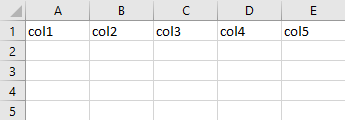
Output:
Alternatively, a dictionary of lists can be converted to a CSV file using only the csv.writerow() function, just by iterating through each key-value pair in the dictionary as shown
Example 2:
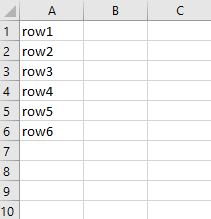
Output:
To write a dictionary of list to CSV files, the necessary functions are csv.writer(), csv.writerows(). This method writes all elements in rows (an iterable of row objects as described above) to the writer’s file object.
Syntax
csvwriter.writerows(rows)
Example 1:
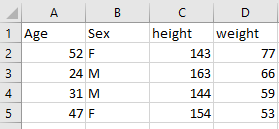
Output:
Example 2:
Here we are going to create a csv file test.csv and store it in a variable as outfile.
Output:
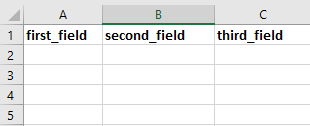
This method writes a row with the field names specified, as header to the csv.dictwriter object.
Syntax
csvwriter.writeheader()
Example:
Output: