|
VOOZH | about |
|
VOOZH | about |
JSON is a lightweight data format for data interchange that can be easily read and written by humans and easily parsed and generated by machines. It is a complete language-independent text format. To work with JSON data, Python has a built-in package called JSON.
Example:
s = '{"id":1, "name": "Emily", "language": ["C++", "Python"]}'
The syntax of JSON is a subset of JavaScript's object notation and includes the following structural rules:
Keys/Name must be strings with double quotes and values must be data types amongst the following:
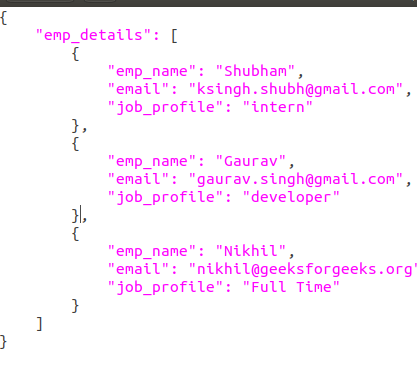
Example JSON file
{
"employee": [
{
"id": "1",
"name": "Amit",
"department": "Sales"
},
{
"id": "4",
"name": "Sunil",
"department": "HR"
}
]
}
To convert a JSON string into a Python dictionary, use the json.loads() method from Python’s built-in json module.
{'id': '9', 'name': 'Nitin', 'dept': 'Finance'}
Nitin
If you have JSON data stored in a .json file (for example, downloaded from an API or stored locally), Python's json module makes it easy to read and convert it into a Python dictionary using the json.load() function.
Assume the file data.json contains:
Example:
Output:
Python dictionaries can be easily converted to JSON strings using json.dumps(). This is useful when you want to send data over the network or store it in a text-based format.
{
 "id": "4",
 "name": "Sunil",
 "department": "HR"
}
Here's how Python's native types are converted to JSON equivalents:
Python | JSON Equivalent |
|---|---|
dict | object |
list, tuple | array |
str | string |
int, float | number |
True | true |
False | false |
None | null |
Use json.dump() to write a Python dictionary to a JSON file. This is helpful for saving configuration, logs, user data or processed results.
Output
When JSON is returned as a single line, it’s hard to read. You can pretty print JSON with indentation and sorted keys using the json.dumps() function.
Example:
{
 "department": "Finance",
 "id": "9",
 "name": "Nitin"
}