|
VOOZH | about |
|
VOOZH | about |
OpenCV provides functions like cv2.imread() and cv2.imshow() that make it easy to load images from files and display them in a window. It supports common image formats such as JPEG, PNG, BMP, TIFF, WebP and others supported by GDAL.
cv2.imread(path, flag)
Parameters:
Return Value: An image object (NumPy array).
OpenCV provides three main flags for reading images using cv2.imread():
Note: The image should be in the working directory or a full path of image should be given. By default, OpenCV stores colored images in BGR(Blue Green and Red) format.
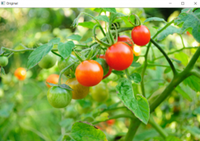
Input Image:
Output
Explanation:
Matplotlib can also be used to display images in Python. It is especially useful when working in Jupyter notebooks or when you want to visualize images alongside plots and data.
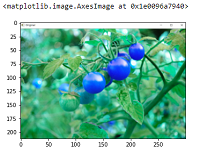
Explanation:
Note: See the difference in colors of images read by cv2 and matplotlib library. Because cv2 uses BGR color format and matplotlib uses RGB color format.
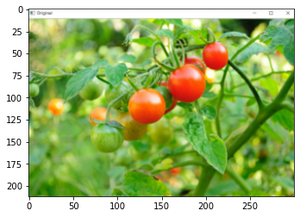
OpenCV reads images in BGR format, while Matplotlib displays them in RGB. Converting the image from BGR to RGB ensures correct color representation.
Output
Explanation:
Grayscale images display only shades of gray. This is useful when color is not required, such as in edge detection or basic image analysis.
Output
Explanation: