|
VOOZH | about |
|
VOOZH | about |
In this article, we will explore how to build a Recipe Recommendation System using Streamlit and OpenAI. We will create the GUI using the Streamlit library and recommend the recipe by using the OpenAI API. We will see in this article how we can create the OpenAI API and use it on our Recipe Recommendation System using a Python app.
Here, we will create the step-by-step implementation of the Recipe Recommendation System using Python. Let's start.
Procedure to Obtain OpenAI API Key:
Create the virtual environment using the commands below.
python -m venv env
.\env\Scripts\activate.ps1
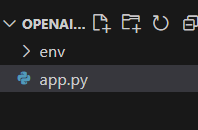
File Strcutrue
First, install Streamlit for creating a graphical user interface (GUI), OpenAI to access the OpenAI API, and LangChain, which can be installed using the following command:
pip install streamlit
pip install openai
pip install langchain_community
Here, the code imports the Streamlit library as st and the OpenAI class from the langchain_community.llms module.
import streamlit as st
from langchain_community.llms import OpenAI
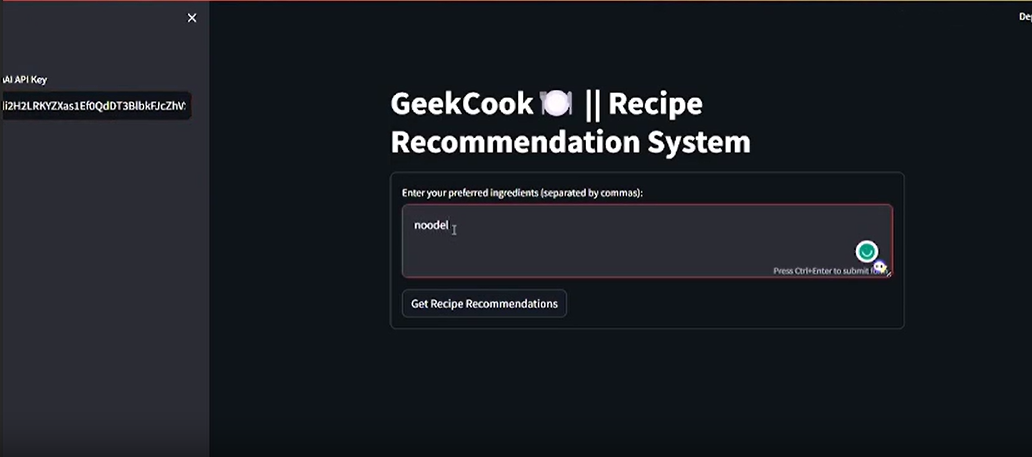
In this example , Python code creates a user friendly app that suggests recipes. Users enter their OpenAI API key on the side, list their favorite ingredients in a form, and click to get recipe ideas. The app uses OpenAI API to provide detailed recipes. If everything goes smoothly, it displays the suggested recipe. If there's an issue, the app shows an error message.
Run the Server
streamlit run "app.py_file_path"Output
Video Demonstration