|
VOOZH | about |
|
VOOZH | about |
When you make an HTTP request in Python using the requests library, it returns a response object. One of the most important attributes of this object is response.content, which gives you the raw response body in bytes. This is especially useful when dealing with binary data like images, PDFs, audio files, or any non-textual content.
Let's look at an example that demonstrates how to use request.content in step by step:
To use request module, we need to first install it using this command:
pip install requests
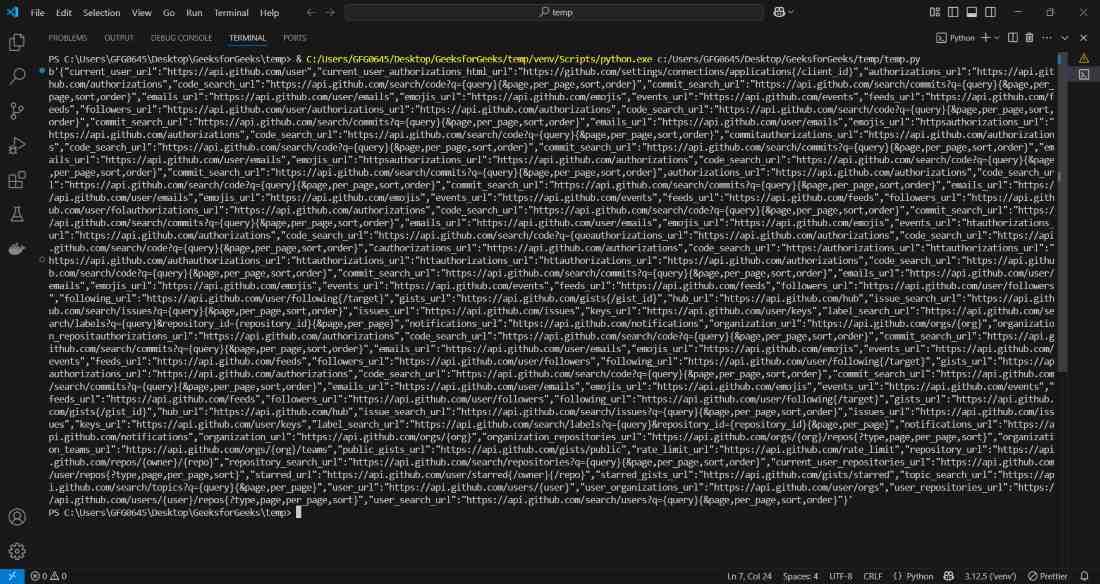
Let’s make a simple GET request to GitHub’s API and view the raw response content in bytes.
Output:
Explanation:
Download and save an image from a URL using response.content:
Output:
This code downloads the image from the given URL and saves it as 'sample_image.png' in the current working directory..