|
VOOZH | about |
|
VOOZH | about |
In this article, we are going to discuss how we can create a GUI window that will take Operating System commands as input and after executing them, displays the output in a pop-up window.
PyAutoGui: It is a module in python which is used to automate the GUI and controls the mouse and keyboard. It is an external module, it can be installed in the system using the below command:
Linux:
pip3 install pyautogui
Windows:
pip install pyautogui
OS: The OS module in Python provides functions for interacting with the operating system.This module comes under Python’s standard utility modules. It provides a portable way of using operating system dependent functionality.
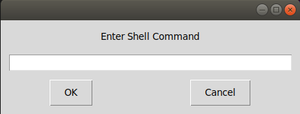
Below program depicts how to create a window which takes operating system commands as input.
Output:
👁 ImageHowever, when commands are entered they are performed in the background. Below is a better version of the above previous python program in which on the execution of the given command, the output is displayed in a popup window.
Output: