VOOZH about

URL: https://www.geeksforgeeks.org/python/singleton-pattern-in-python-a-complete-guide/

⇱ Singleton Pattern in Python - GeeksforGeeks


  • Courses
  • Tutorials
  • Interview Prep

Singleton Pattern in Python

Last Updated : 17 Jan, 2026

The Singleton Pattern ensures a class has only one instance throughout a program and provides a global access point. It is commonly used for managing shared resources like databases, logging systems or file managers.

This example shows how a class creates only one object and returns the same object every time it is called.


Output
True

Explanation:

  • class Single: Defines a class named Single and instance = None: Class variable to store the single object.
  • def __new__(cls): Controls object creation and if cls.instance is None: Checks if object already exists.
  • cls.instance = super().__new__(cls): Creates object only once whereas return cls.instance: Always returns the same object.
  • a = Single(): First call creates the instance and b = Single(): Second call reuses the same instance.
  • print(a is b): Confirms both variables point to the same object (True).

Methods to Implement Singleton Pattern

1. Module-level Singleton

All Python modules are singletons by default. Any variables or functions defined in a module are shared across imports. For Example: Below example, three files, Singleton.py, samplemodule1.py and samplemodule2.py share a variable from Singleton.py

Output

Here, the value changed by samplemodule1 is also reflected in samplemodule2.

👁 singleton
Snapshot of the Terminal

Explanation:

  • samplemodule1 modifies singleton.var.
  • samplemodule2 reflects the updated value because the module itself is a singleton.

2. Classic Singleton

Classic Singleton creates an instance only if it does not exist. Otherwise, it returns the already created instance.


Output
True
Singleton Variable

Explanation:

  • if not hasattr(cls, 'inst'): Checks if an instance already exists.
  • cls.inst = super().__new__(cls): Creates a new instance if none exists.
  • return cls.inst: Always returns the same instance.
  • s1 = Singleton() and s2 = Singleton(): Both variables refer to the same instance.

Subclass Example: Let's check what happens when we subclass a singleton class.

Output

False
Singleton Variable

Explanation:

  • SingletonChild inherits from SingletonClass.
  • child is an instance of SingletonChild.
  • Since SingletonClass is a singleton, child shares the same instance as singleton.
  • Accessing child.singl_variable returns the same value as singleton.singl_variable.

 3. Borg Singleton

Borg Singleton allows different instances to share the same state.


Output
False
Shared Variable

Explanation:

  • _shared: Shared state dictionary for all instances.
  • __new__ Ensures all instances share _shared state.
  • b1 and c1: Different instances but share the same data.
  • c1 is b1: False, instances are distinct.
  • c1.val: Accesses the shared state from b1.

Resetting Shared State

Borg Singletons share state across instances. Resetting allows creating a fresh instance with an independent state while keeping the Borg structure.

Output

Resetting the shared state removes previous attributes. Accessing val now causes an AttributeError.

Traceback (most recent call last):
File "example.py", line 12, in <module>
print(nb1.val)
AttributeError: 'NB' object has no attribute 'val'

Web Crawler Using Classic Singleton

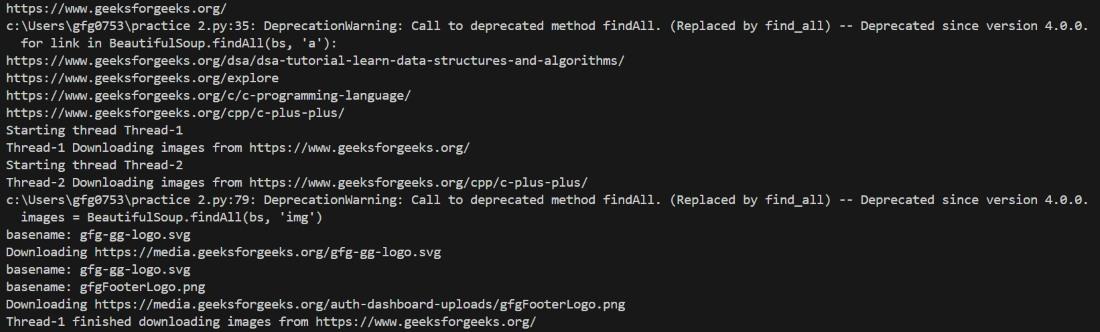
This example uses the Classic Singleton pattern to build a simple multi-threaded web crawler. A single shared crawler instance stores the URL queue, visited pages, and downloaded images, while multiple threads access the same data to crawl pages and download images without duplication.

Output

👁 terminal
Snapshot of the terminal

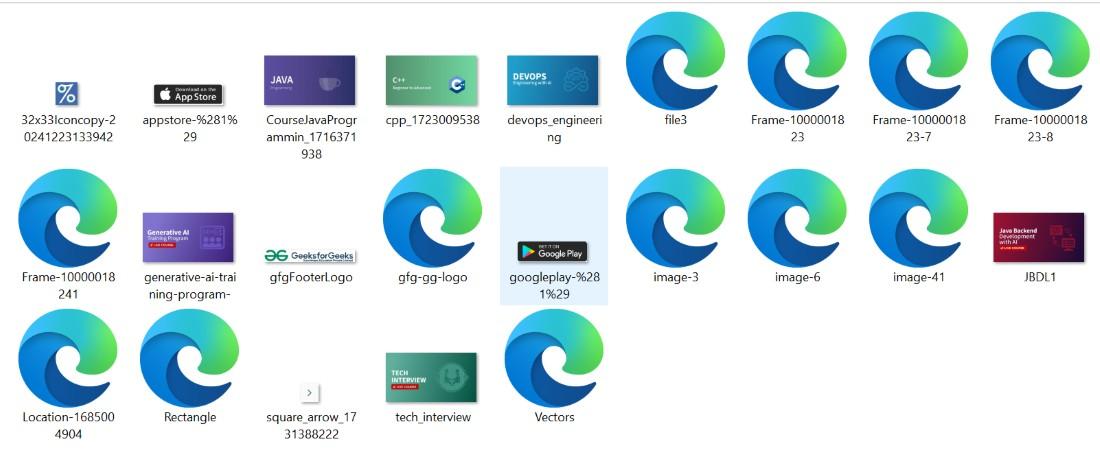
Let's look into the downloaded images and python shell output.

👁 images
Downloaded Images

Explanation:

  • CrawlerSingleton ensures only one crawler object is shared across the program.
  • __new__() creates the instance once and always returns the same object.
  • Shared data: url_queue -> URLs to crawl, visited_url -> already visited pages and image_downloaded -> avoids duplicate downloads
  • navigate_site(): takes a URL from url_queue, downloads page using httplib2, parses HTML with BeautifulSoup and extracts internal links and adds them back to queue
  • ParallelDownloader runs threads that call download_images() using the same Singleton data.
  • download_images(): gets pages from visited_url, extracts image URLs and downloads only new images
  • In main(), crawler + threads use the same Singleton instance, so all data is shared and duplication is prevented.

Related Articles:

Comment
Article Tags: