|
VOOZH | about |
|
VOOZH | about |
In today's world of software development and integration, Application Programming Interfaces (APIs) play a crucial role in enabling communication and data exchange between different systems. However, creating an API involves multiple steps, and effective management throughout its lifecycle is vital to ensure usability, reliability, and scalability.
Below, we will see some concepts related to Swagger and API Lifecycle Management.
API lifecycle management consists of good planning, designing, developing, testing, deploying, and retiring of APIs. So making it easy we have a Swagger tool called "SwaggerHub" which helps with every step of the API journey. This is user-friendly and flexible.
API lifecycle management involves planning, designing, developing, testing, deploying, and retiring APIs. SwaggerHub, a user-friendly and flexible Swagger tool, aids in every step of the API journey, making the process more accessible.
Swagger, now known as the OpenAPI Specification (OAS), plays a vital role in ensuring consistency, security, versioning, performance monitoring, and collaboration throughout an API's lifecycle. Let's explore how Swagger and API lifecycle management intersect at each stage:
Below, are the code example of Swagger and API Lifecycle Management.
First, create the virtual environment using the below commands
python -m venv env
.\env\Scripts\activate.ps1
Below, are the step-by-step code explanation of Swagger and API Lifecycle Management example.
below, code initializes a Flask application (app) and sets up a RESTful API using the Flask-RESTx extension (api). It also imports necessary modules and classes for handling file uploads (FileStorage), image processing (PIL.Image), and defining API resources.
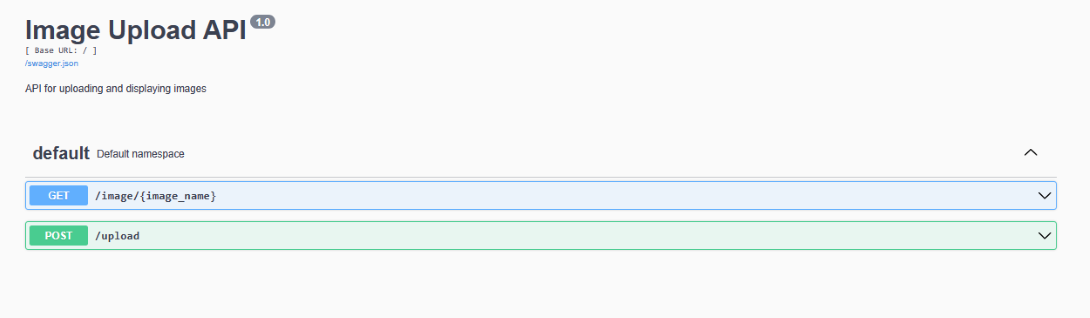
below, code defines an API resource (ImageUpload) for handling image uploads. It specifies a POST method that expects a file upload (image parameter) and saves the uploaded image to a specified directory (image_store). Additionally, it resizes the uploaded image to a maximum size of 300x300 pixels and saves the resized image to the same directory. The API endpoint for image uploads is /upload.
below, code defines another API resource (ImageDisplay) for retrieving and displaying images. It specifies a GET method that takes the image name as a parameter in the URL and attempts to send the corresponding image file using Flask's send_file function. If the image file is not found, it returns a 404 error with a message.