|
VOOZH | about |
|
VOOZH | about |
In Graphical User Interfaces (GUIs), how text is presented holds significant importance for user experience. Tkinter, known as the Primary GUI toolkit for Python, provides powerful capabilities for font management using its Tkinter Fonts module. This module enables developers to tailor the visual aspect of text within their applications, by improving legibility. In this article, we will see about Tkinter Fonts.
Fonts in Tkinter are used to customize the appearance of text displayed in various widgets such as labels, buttons, entry widgets, and more. They allow you to control the font family, size, weight, style, and other properties of the text. Here are some common use cases for fonts in Tkinter:
The primary syntax for utilizing Tkinter Fonts is as follows:
import tkinter.font as tkFont
font = tkFont.Font(option, ...)
Here, option refers to a set of parameters that indicate the characteristics of the font. The available options include:
Below, are the Tkinter Fonts code examples those are as follows.
In this example, below code creates a Tkinter window and defines a normal Arial font. Then, it displays a label with the text "Normal Text" using the defined font in the window.
Output
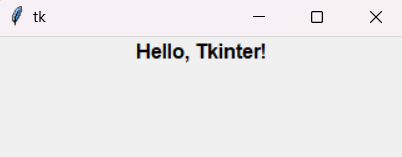
In this example, below code creates a Tkinter window with a bold "Hello, Tkinter!" label using the Helvetica font, size 12. It sets up the window, font style, and label, then displays it before entering the main event loop.
Output
In this example, below code sets up a Tkinter window and creates a bold Helvetica font. Then, it displays a label with the text "Hello, Tkinter!" in the window, using the bold font.
Output
In this example, below code creates Tkinter window and defines a font in Arial style with a Roman slant. Subsequently, it displays a label in the window with the text "Roman Text" formatted using the defined font.
Output
In this example, below Python code creates a Tkinter window with a label displaying "Resizable Text" in Times font. It includes buttons to increase and decrease the font size by 2 points each time they're clicked, ensuring the font size doesn't drop below 8 points.
Output