There are many frameworks that allow building your webpage using Python, like Django, flask, etc. Flask is a web application framework written in Python. Flask is based on WSGI(Web Server Gateway Interface) toolkit and Jinja2 template engine. Its modules and libraries that help the developer to write applications without writing the low-level codes such as protocols, thread management, etc.
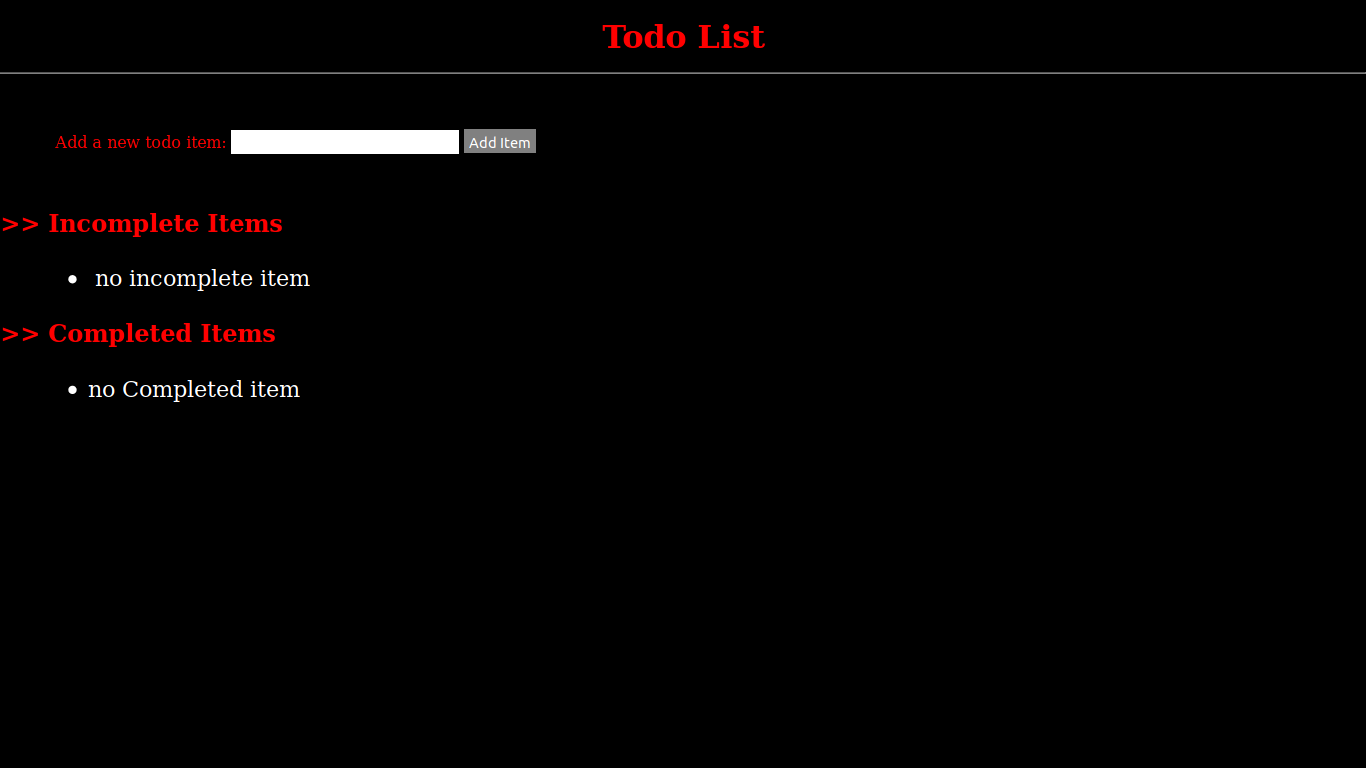
In this article, we will learn how to make a todo list app using the Flask framework. In this app, you can add your todo items and mark them as complete or incomplete.
Installation:
pip install Flask
Basic setup :
Step 1: First make basic folders
mkdir app && cd app && mkdir static && mkdir templates
Step 2: Make some basic python files to write the code and name it as you desire.
Step 3: Run the below command to start the server
touch run.py the app
Step 4: Change directory to
app-
cd app
Step 5: create models.py for database, routes.py for urls/views and __init__ file to package our app
touch models.py routes.py __init__.py
Step 6: Goto
templates/ directory and create index.html file
cd templates && touch index.html
Step 7: Goto
static/ directory and create main.css
cd static && touch main.css
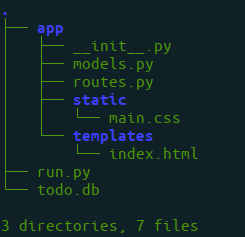
Now, open the project folder using a text editor. The directory structure should look like this :
👁 Image
run.py file
app/__init__.py file
app/routes.py file
app/models.py file
app/main.html
app/main.css