|
VOOZH | about |
|
VOOZH | about |
In simple terms, string methods in Pandas are a set of tools that help us manipulate and work with text (also known as strings) in our data. Pandas, which is a powerful Python library for data manipulation, provides a variety of built-in tools to make that job easier. Instead of manually going through each piece of text and making changes, these string methods allow us to do things like:
These string methods work in a very efficient way on entire columns of data, so you can modify thousands or even millions of text entries at once without breaking a sweat.
| Method | Description |
|---|---|
| upper() | Converts a string into uppercase |
| lower() | Converts a string into lowercase |
| isupper() | Checks whether the character is uppercase or not |
| islower() | Checks whether the character is lowercase or not |
| len() | Identifies the length of the string. |
| startswith() | Returns true if the element starts with the pattern |
| split() | Splits the string at a particular index or character |
| find() | Returns the index at where the given string is found |
| strip() | Strips whitespaces from each string from both sides. |
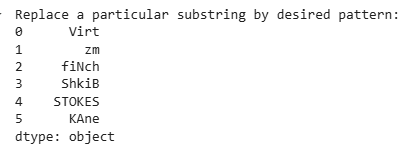
| replace() | Replaces a part of the string with another one. |
Let's explore each method in detail with example:
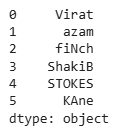
We will be using the below data frame for the purpose of the illustration.
Output:
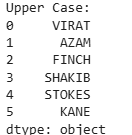
👁 Screenshot-2025-03-12-123419Convert each string to upper case. This method is useful when normalizing text data for consistency (e.g., converting names or categories to uppercase).
Output:
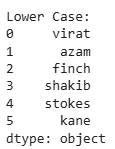
👁 Screenshot-2025-03-12-123706It converts all characters to lowercase and ensure consistency in text data.
Output:
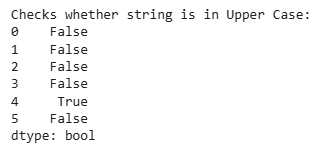
👁 Screenshot-2025-03-12-123842It returns boolean values based on whether each character present in the string is in upper case or not.
Output:
👁 Screenshot-2025-03-12-124058It returns boolean values based on whether each character present in the string is in lowercase or not.
Output:
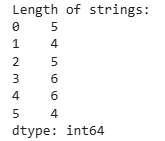
👁 Screenshot-2025-03-12-124259This function returns the length of each string.
Output:
👁 Screenshot-2025-03-12-124433It returns boolean values based on whether the string starts with a certain character sequence or not.
Output:
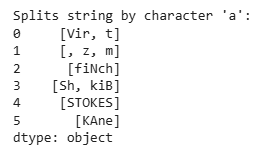
👁 ImageThis function helps to split the string by a certain character or symbols at once.
Output:
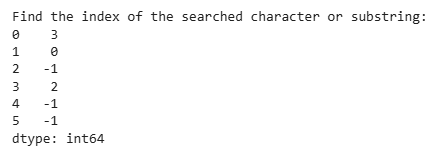
👁 Screenshot-2025-03-12-124745This function finds the index of the occurrence of a certain character sequence.
Output:
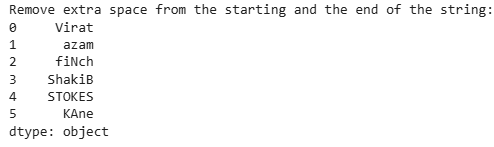
👁 ImageIt helps to remove the extra trailing spaces from the start and the end.
Output:
👁 ImageThis function helps to remove certain character sequence sometimes which are present in all the strings and is undesired.